Warmly Pre-Onboarding
Last updated: March 25, 2025
Welcome to Warmly! Our team can't wait to get started! 🟪
This pre-onboarding work is required in advance of your onboarding call with Warmly's team. Completing it thoughtfully will set your team up for success with your use of Warmly and minimize time to value.
1) Create a Warmly account
If you were a Freemium customer or have completed a trial with Warmly, you likely already have a Warmly account for your organization.
If you're brand spankin' new to Warmly, we're going to need you to create an account for yourself and an organization for your company!
It's quite simple - just head to Warmly and sign in with your company-associated Google or Microsoft account. You'll then be automatically placed into your company's Warmly instance.
It'll start off in the Freemium tier, but just reply on your welcome email with your Sales Rep and CSM team to get this swapped to your Paid tier so you see our Paid features, like CRM integrations, Chat workflows, and Orchestrator.
2) Invite your team members to Warmly
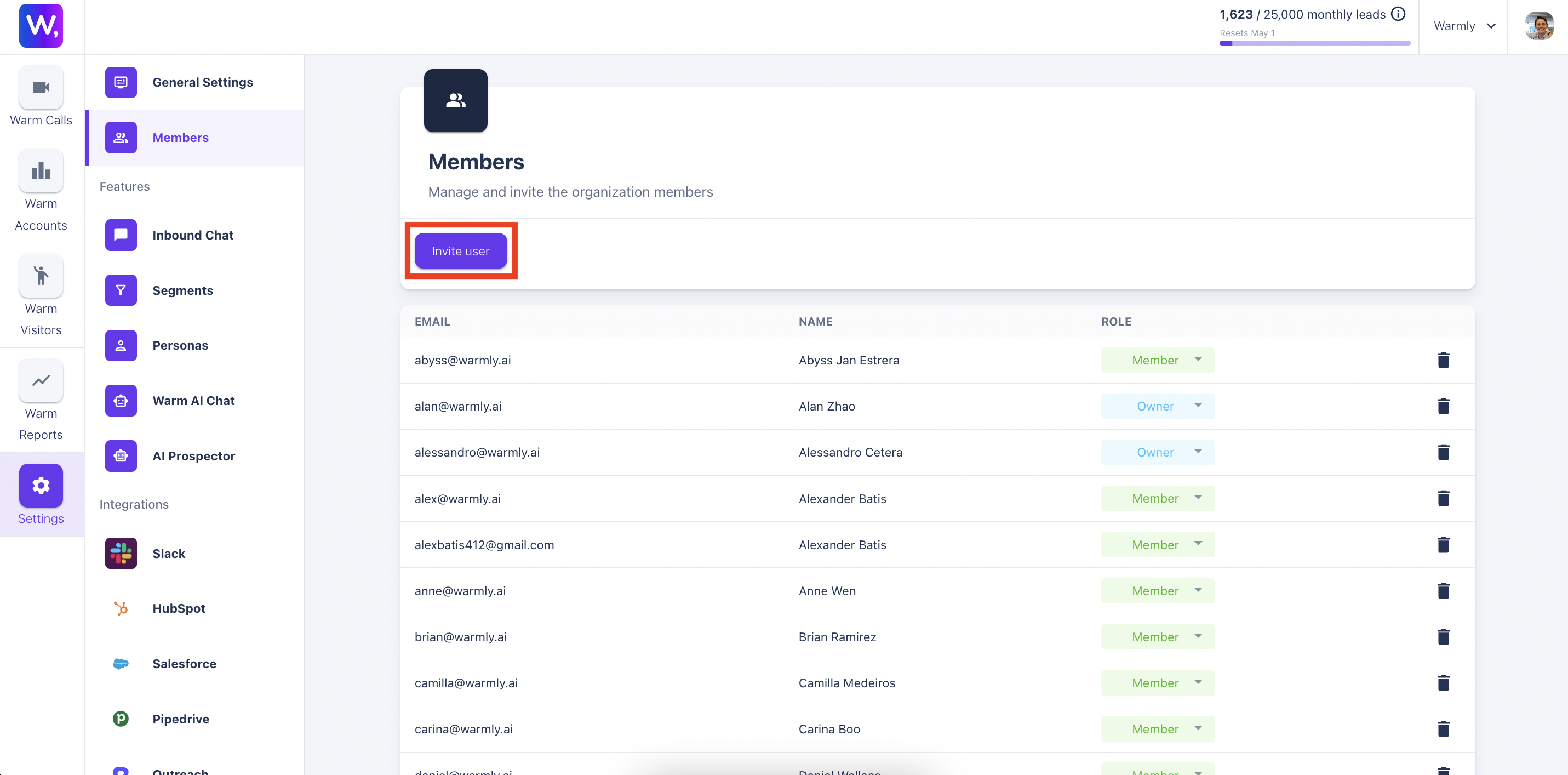
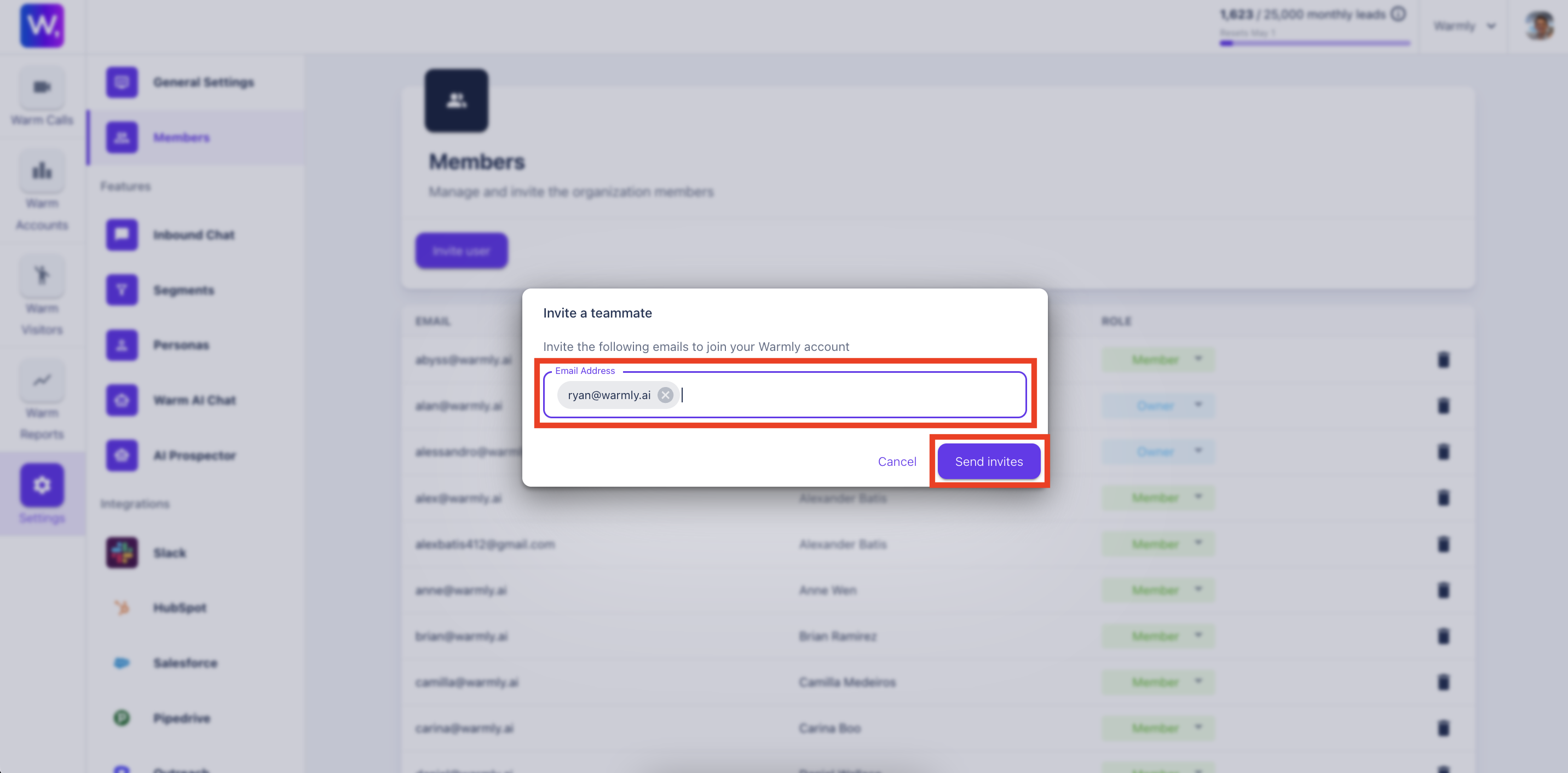
Once you're successfully into your company's Warmly dashboard, head to the Settings tab and the Members section to invite other users. Type in their emails, click the enter button, and then select 'Send invites.' This will email the user a link to join your Warmly organization and grant them access to your company's Warmly dashboard.
Note that your team members can also go directly to Warmly and sign in with their company-associated Google or Microsoft account to be automatically added to the organization.
3) Add the Warmly script tag to your website
Again, if you were a Freemium customer or have completed a trial with Warmly, you likely have already added the Warmly script tag to your website.
If you're brand new to Warmly, however, you'll need to add the Warmly script tag found in the General Settings section in the Settings tab of your Warmly instance to your website.
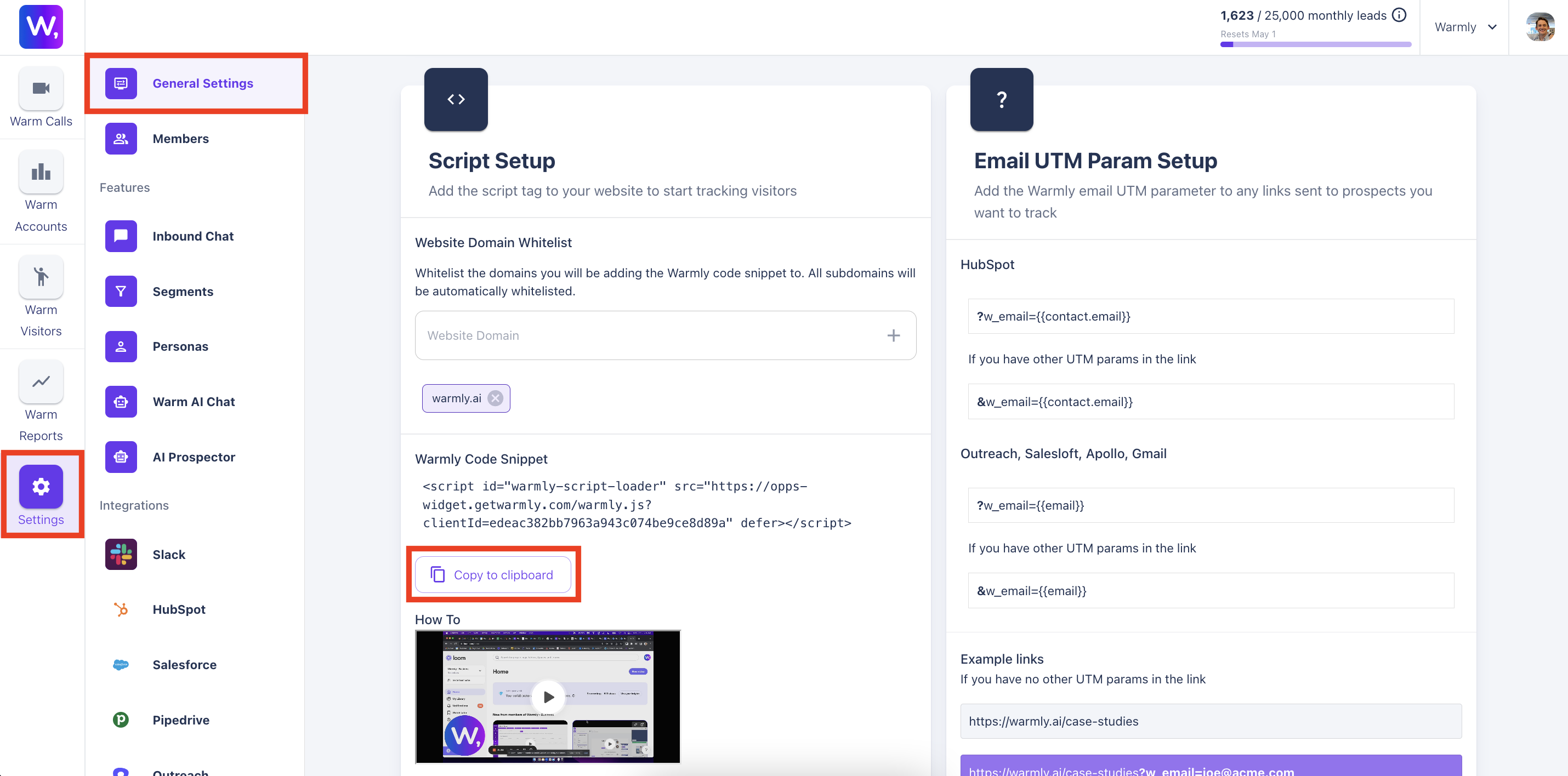
For detailed instructions, visit Adding Warmly’s Code Snippet to Your Website.
4) Finalize your integrations within Warmly
In order to make the most of our time during the onboarding call, we expect you to have already integrated your key tools with Warmly.
NOTE: If you're still seeing yourself in our Freemium tier without access to CRM integrations, reply to the welcome email from your Sales Rep and CSM team, and we'll swap you to Paid.
High-Priority Visitor Alerts:
Slack (Slack Integration Documentation)
Sales & Marketing CRM:
HubSpot (HubSpot Integration Documentation)
Salesforce (Salesforce Integration Documentation)
If you or your CRM admin team has any questions, feel free to add them to the Kickoff call. And just start the integration with just read-only access, so your CSM can walk you through how to see target accounts, active deals, closed lost revived deals, etc from your website traffic.
Sales Email Sequencing Tool:
Outreach (Outreach Integration Documentation)
Apollo (Apollo Integration Documentation)
Salesloft (Salesloft Integration Documentation)
Contact Database / Prospecting Tool:
Apollo (Apollo Integration Documentation) if relevant
Otherwise you'll have access to Warmly's Built-In Contact Database
5) Pay your Warmly Invoice
It'll delay your onboarding if your team has not completed the invoice for our service.
Please reach out to your Warmly Sales Rep if you have questions.