Sequencing Orchestrator Prospects via Hubspot
Last updated: June 4, 2025
There are 2 ways we can sequence prospects via HubSpot.
Automatically using a workflow
Manually building a list of prospects
1. Automatically Sequencing Using a HubSpot Workflow
Note: in order to enroll contacts into sequences through workflows in HubSpot, you need a Sales Hub Professional or Enterprise tier.
Company + Bombora Orchestrations
In your HubSpot account, navigate to Automations > Workflows.
You can create a new workflow from scratch or from a template:
To create a new workflow from scratch, in the upper right, click Create workflow > From scratch.
Select [Contact-based] + BLANK workflow and click [NEXT]
Within the workflow, select [Set Up Triggers] and [Add Filter]
Select "Contact Properties"
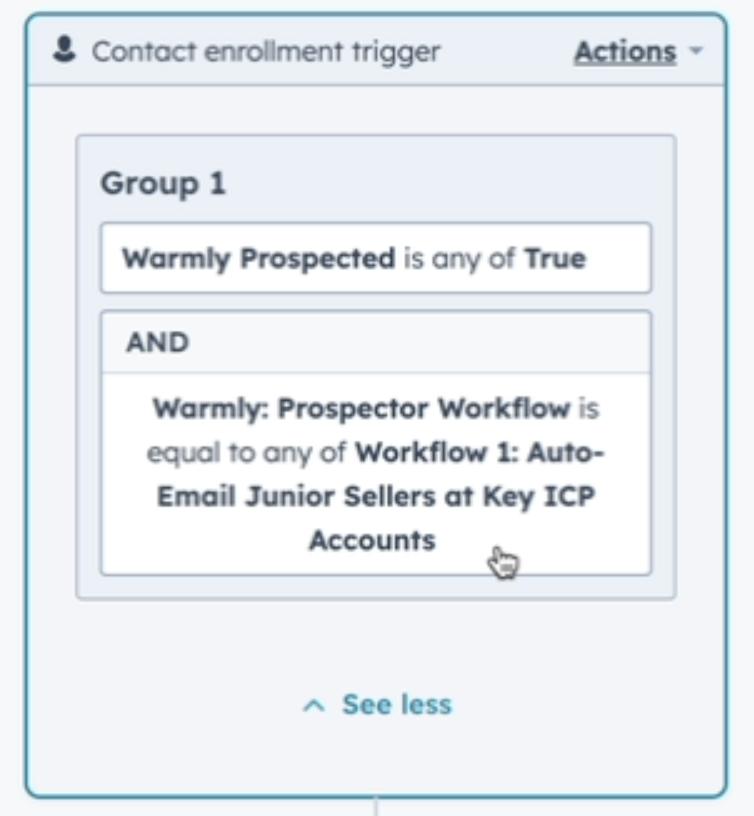
In the Filter, Select [Warmly Prospected] <is any of> TRUE
Within the same workflow, add another Filter for [Warmly Prospected Workflow] <is equal to any of> [copy paste workflow title from Warmly Orchestration you're trying to pick up from]
Click [SAVE]
Click [+] to add another step to the workflow
Choose an action > [Enroll in sequence]
Select the desired sequence to enroll prospects
[SAVE] workflow
Site Visitor Orchestrations
In your HubSpot account, navigate to Automations > Workflows.
You can create a new workflow from scratch or from a template:
To create a new workflow from scratch, in the upper right, click Create workflow > From scratch.
Select [Contact-based] + BLANK workflow and click [NEXT]
Within the workflow, select [Set Up Triggers] and [Add Filter]
Select "Contact Properties"
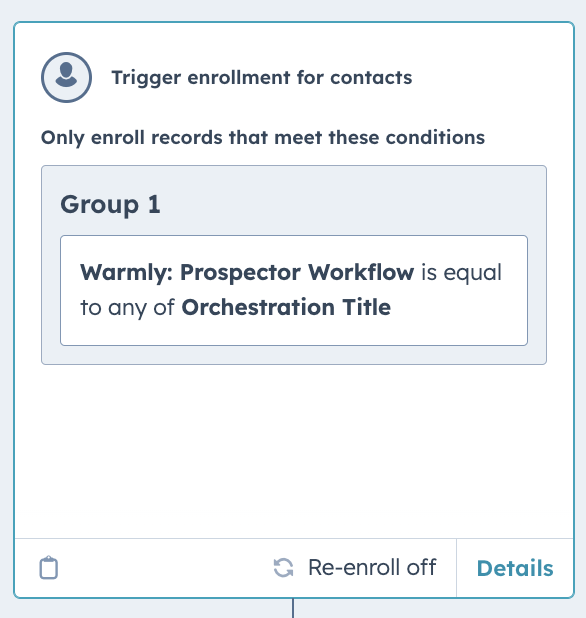
In the Filter, Select [Warmly Prospected Workflow] <is equal to any of> [copy paste workflow title from Warmly Orchestration you're trying to pick up from]
Click [SAVE]
Click [+] to add another step to the workflow
Choose an action > [Enroll in sequence]
Select the desired sequence to enroll prospects
[SAVE] workflow
See video walkthrough below
For more detailed information, view the Workflows article directly from Hubspot
2. Manually Building a List of Prospects
For this method, you'll need to create a list in your Hubspot and frequently and manually push new prospects into the desired email sequence. We suggest bookmarking your list, or saving the view, so you can quickly export new contacts
Go to Hubspot Contacts
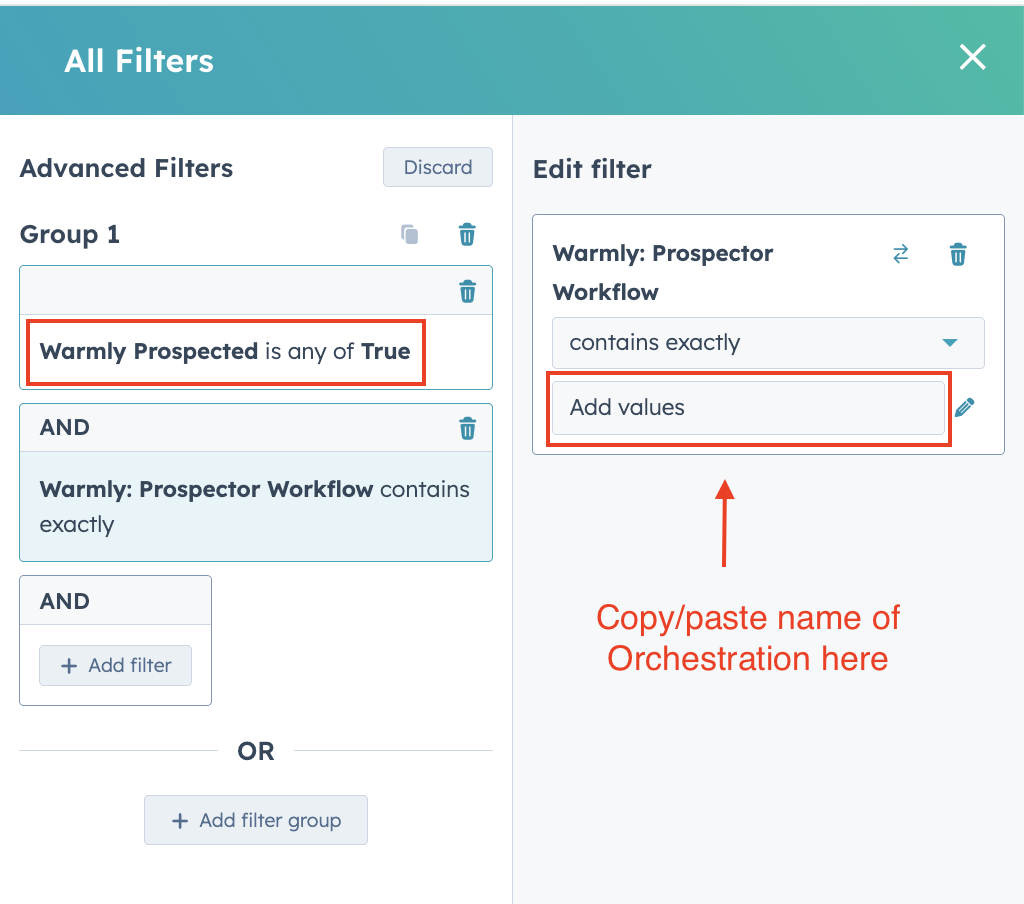
Select Advanced Filters
Add Warmly Prospected = True
NOTE: skip this step if you are building a Site Visitor Orchestration list
Add Warmly Prospector Workflow = [copy/paste Orchestration name]
Add time frame filter for how often you'll be pushing these prospects into sequence
Bookmark the tab for later use
This article was written by the Customer Success team at Warmly. Please feel free to reach out to your CSM directly or [email protected]