Signal: Bombora Research Intent
Last updated: May 5, 2026
General
Warmly's Orchestrator is designed to make your outreach smarter and more effective.
Think of it as your personal assistant for prospecting and engagement—helping you stay one step ahead.
With Orchestrator, you can automatically sync prospect data, launch personalized email campaigns, or connect with leads through other SEP channels, all without missing a beat. It’s built to work seamlessly with your CRM and other tools, so you can focus on what really matters: closing deals and growing relationships.
What is Bombora Research Intent?
Bombora research intent tracks the online content consumption of businesses to identify surges in interest around specific topics. By monitoring aggregated behavioral data, Bombora highlights companies actively researching subjects relevant to your products or services, signaling potential buying intent.
Bombora Research Intent Orchestration
With our Bombora integration you can now use Research Intent to trigger Orchestrations. Actively monitor which companies in your ICP are researching relevant topics and ready to learn more about your product, then reach them before your competitors do with automated emails, call sequences, etc.
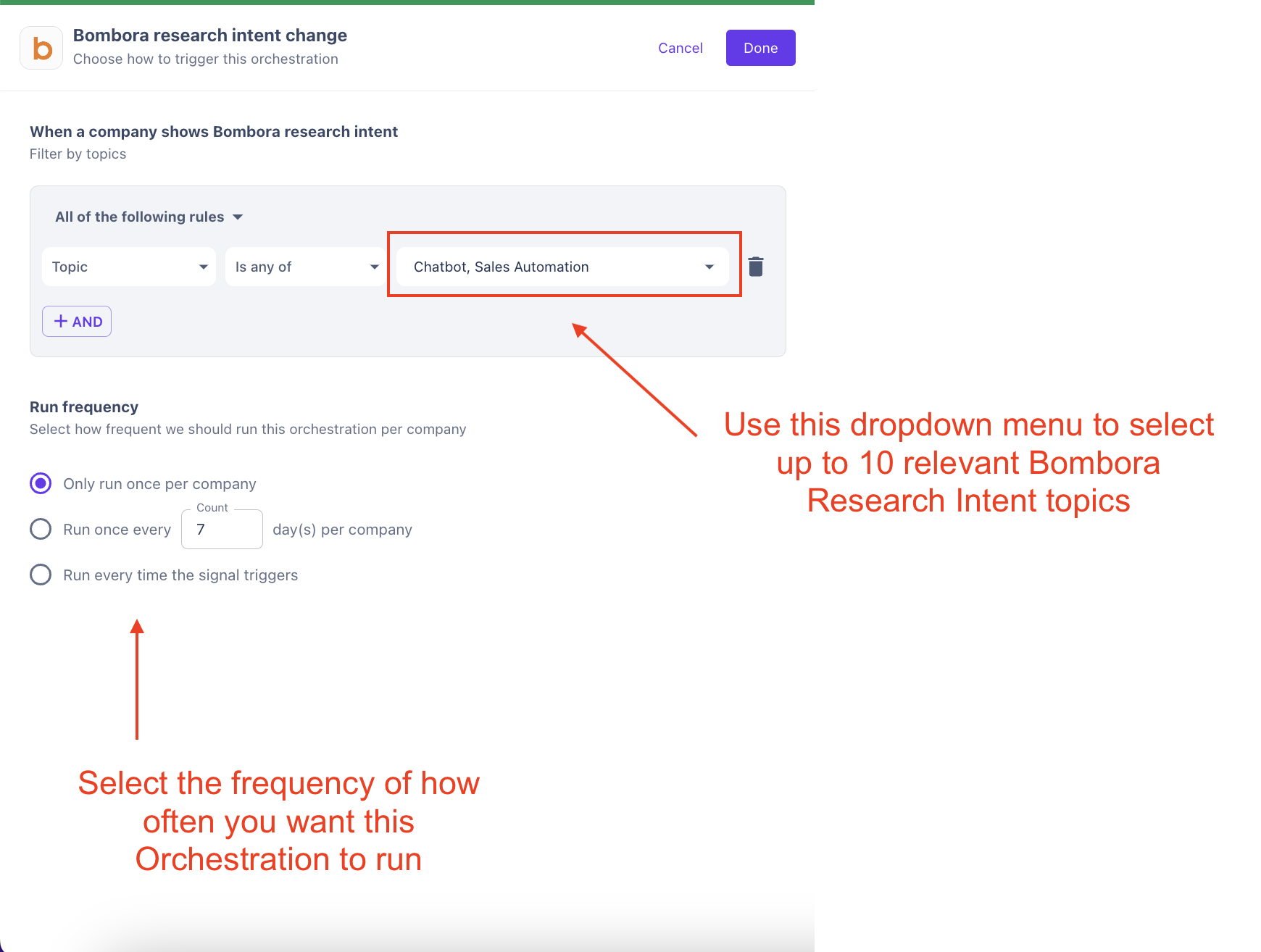
Once you’ve picked the topics you want to monitor (you can select up to 10) you can enroll your ICP that’s researching these topics into highly targeted messaging sequences and watch them convert them into opportunities automatically.
NOTE: This workflow will reach out to companies with Bombora research intent, including companies that HAVE visited your website and companies that HAVE NOT visited your site. The goal is to drive higher quality site traffic.
Requirements for Setup
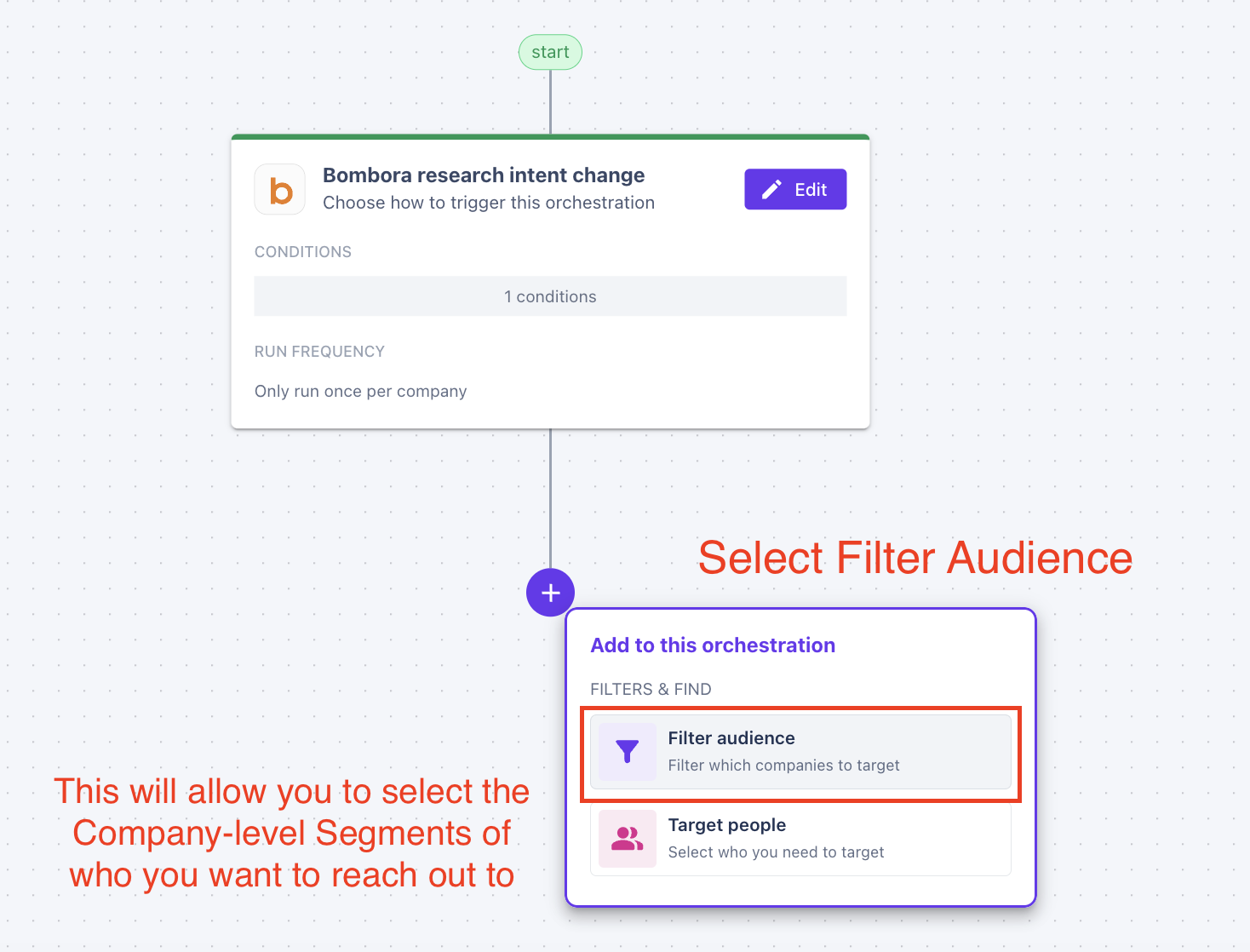
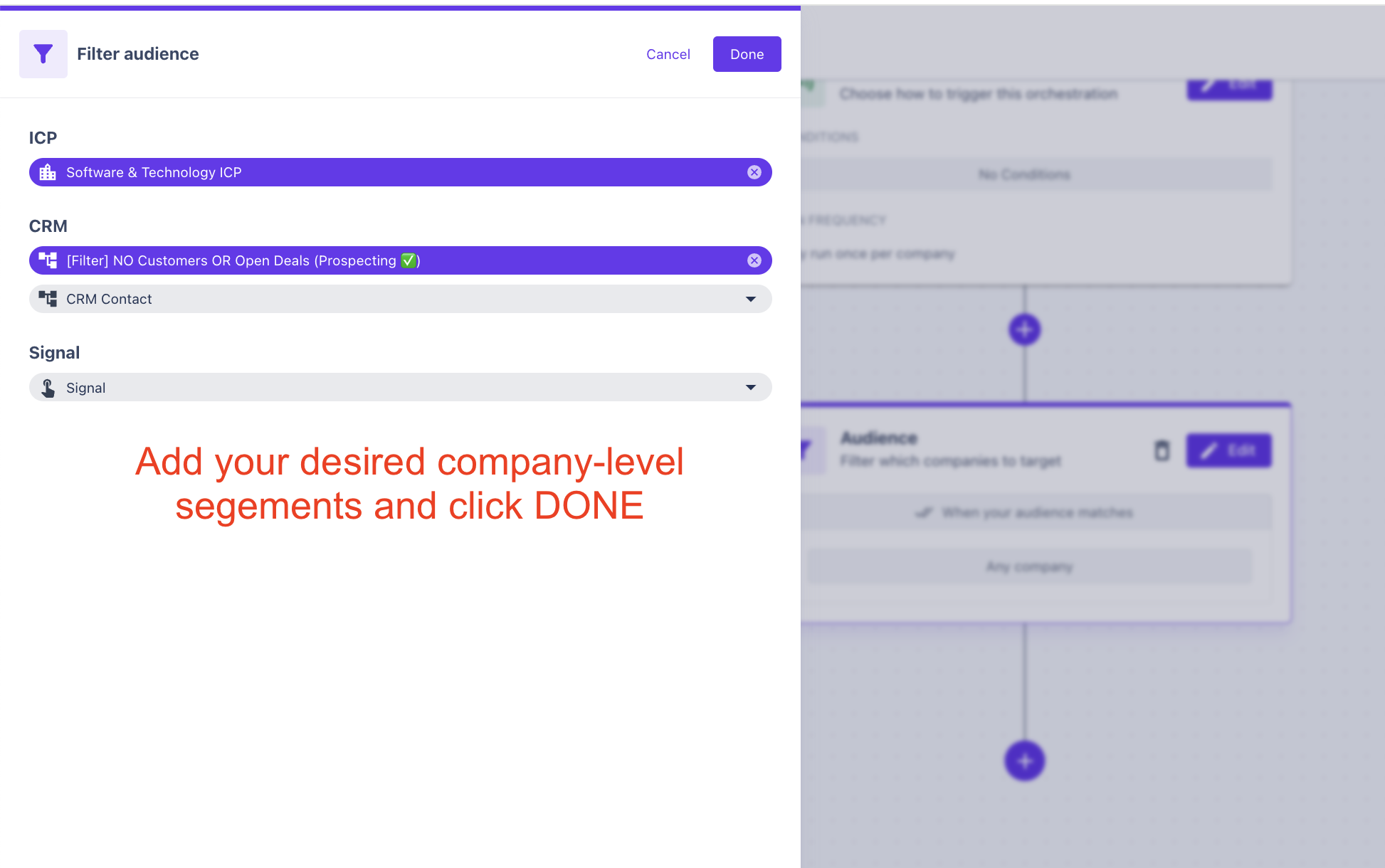
Build Segments for your Target Customer Profile, CRM filtering and Signal filtering
Build Buyer Personas for the job titles you want to reach out to
Build outbound messaging sequences - messaging examples
Configure any Lead Routing rules for contact ownership in your CRM or SEP
Select up to 10 Bombora Research Intent topics in the Bombora integration tab of your Warmly account
Navigation
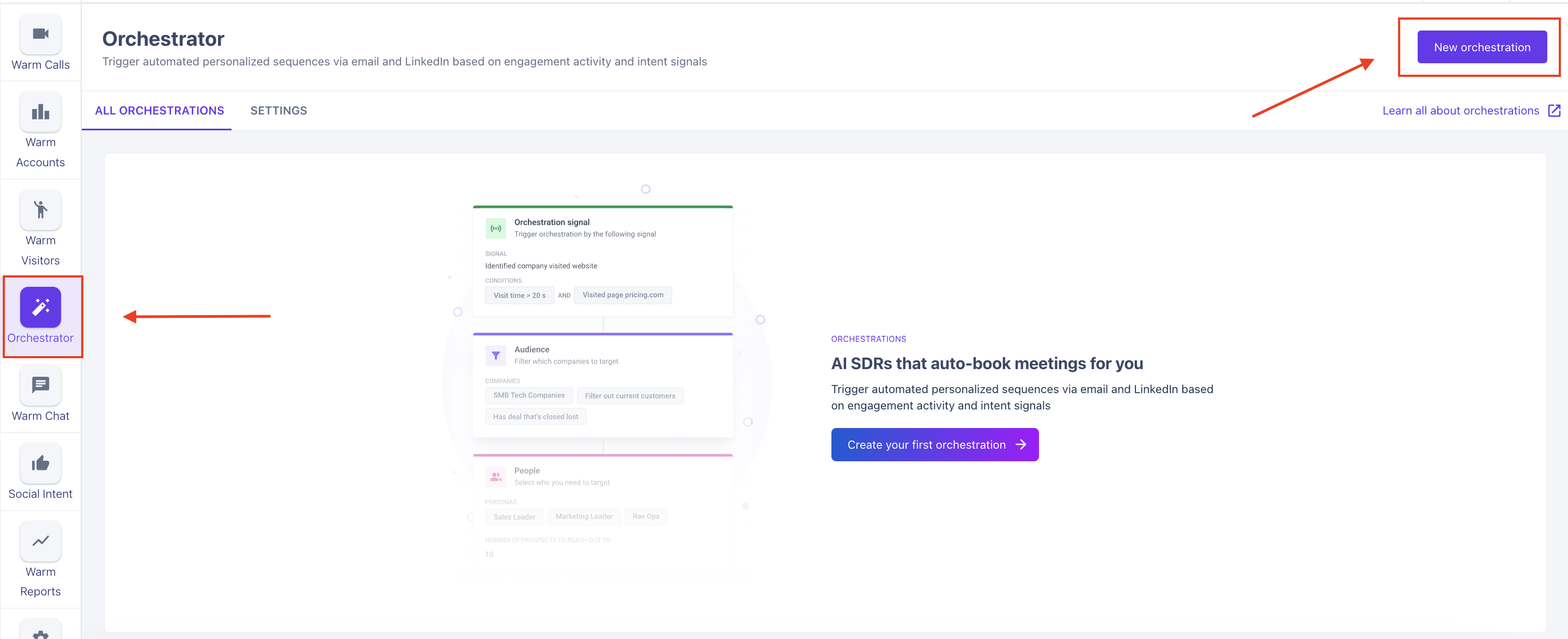
Select Orchestrator on the left menu of your Warmly account and select "New Orchestration"
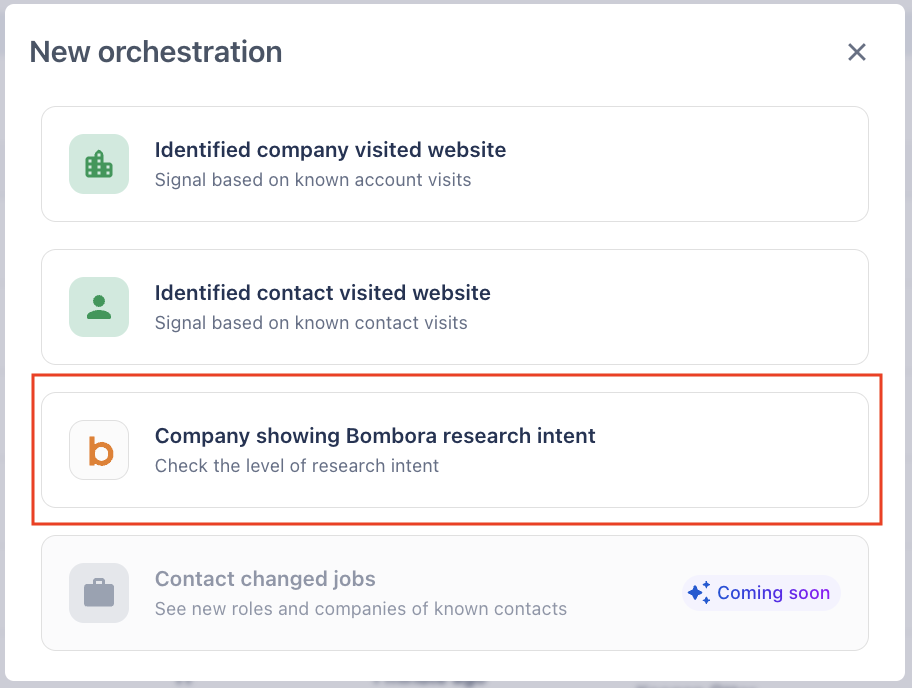
From the menu, select "Company Showing Bombora Research Intent"
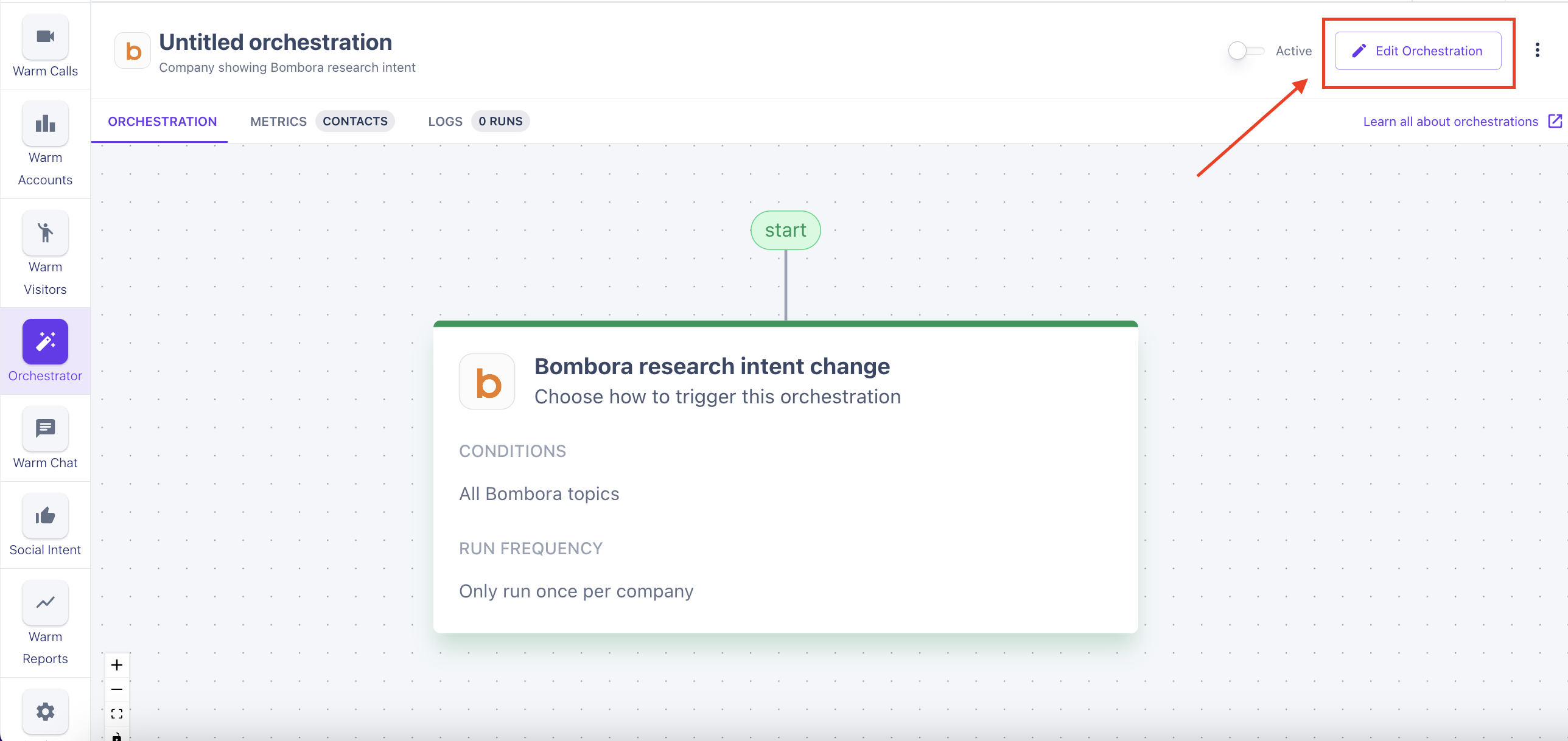
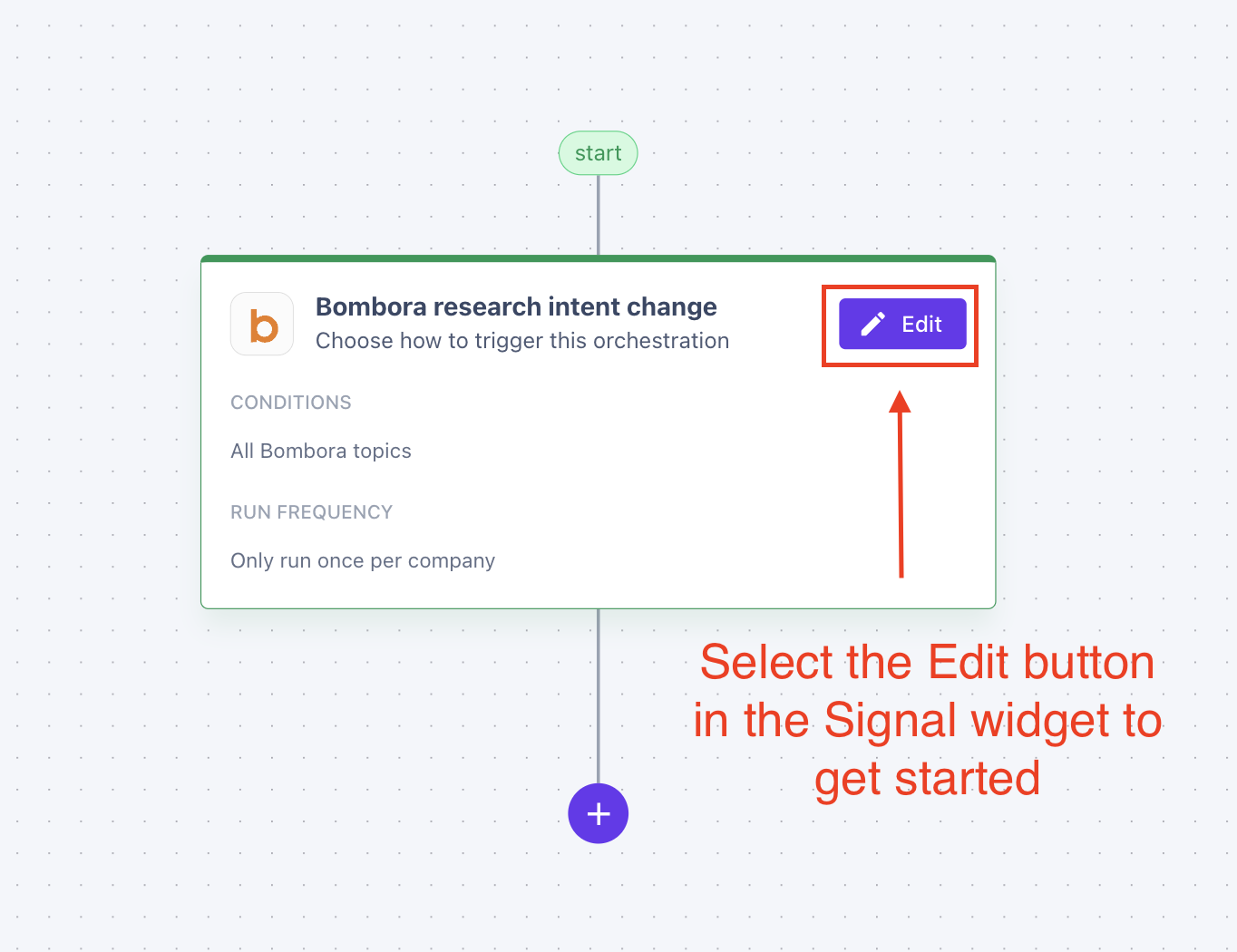
Select "Edit Orchestration" to begin building your new workflow.
Make sure to name your workflow (something relevant to what your building)
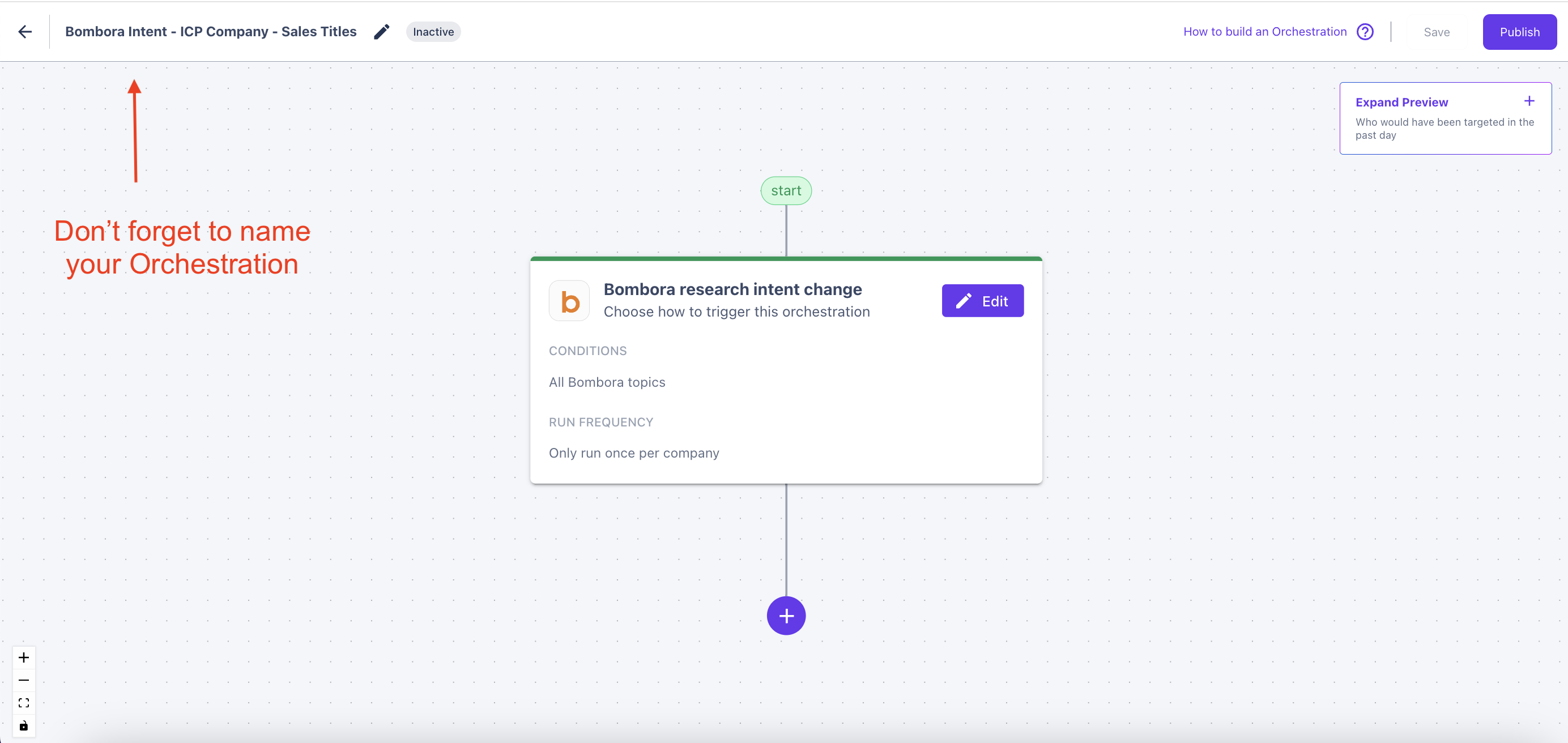
Building the Orchestration
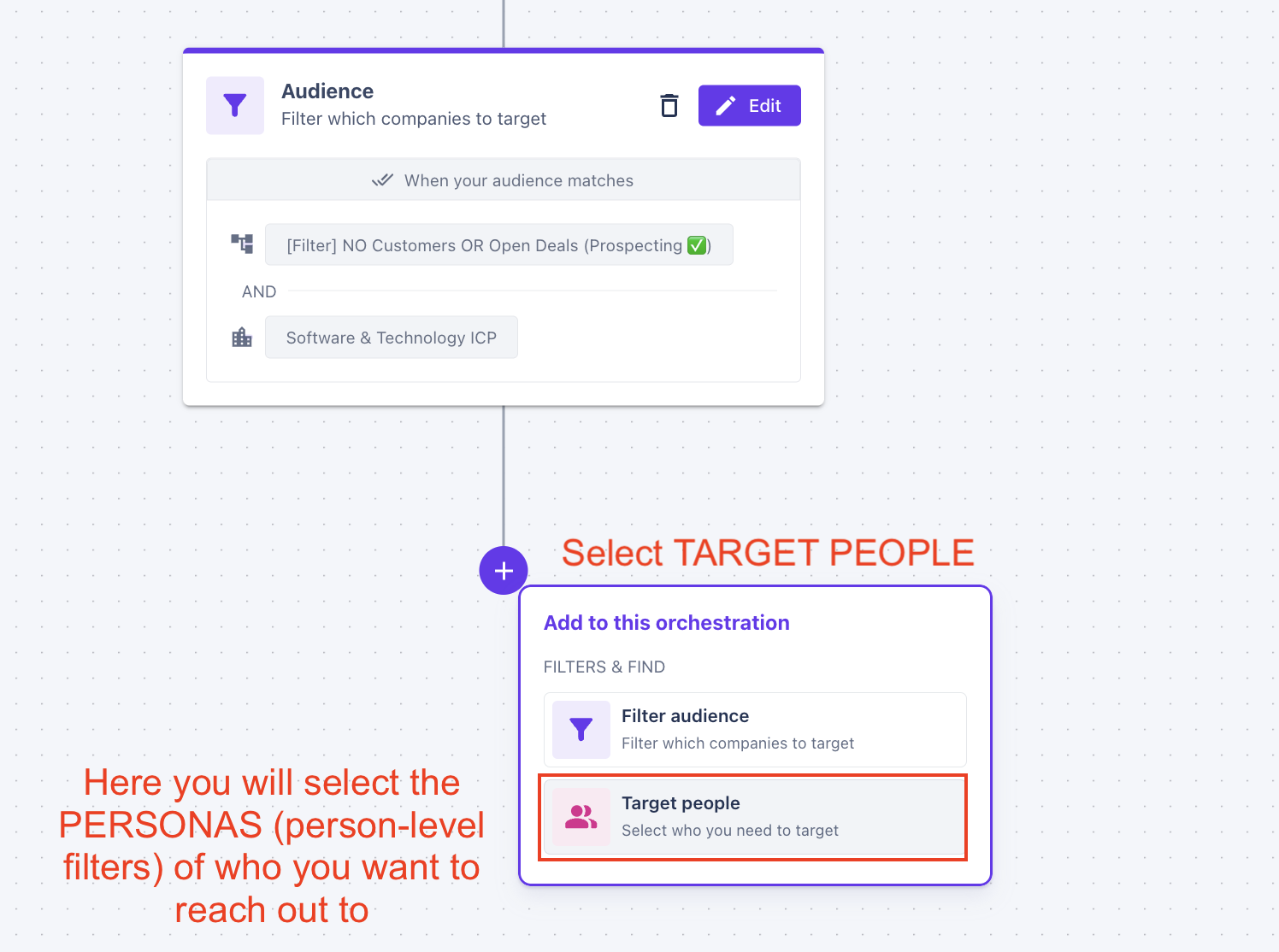
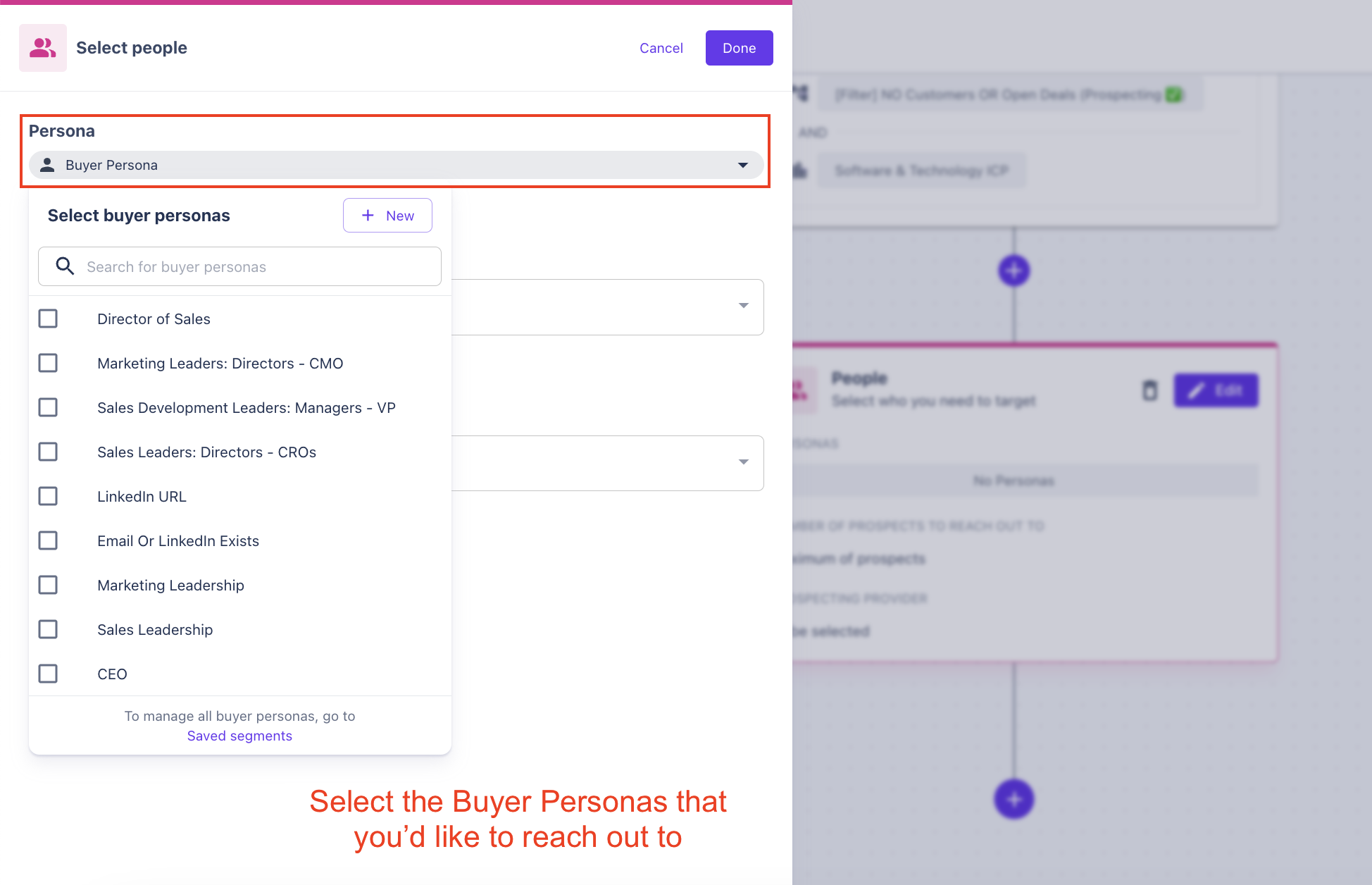
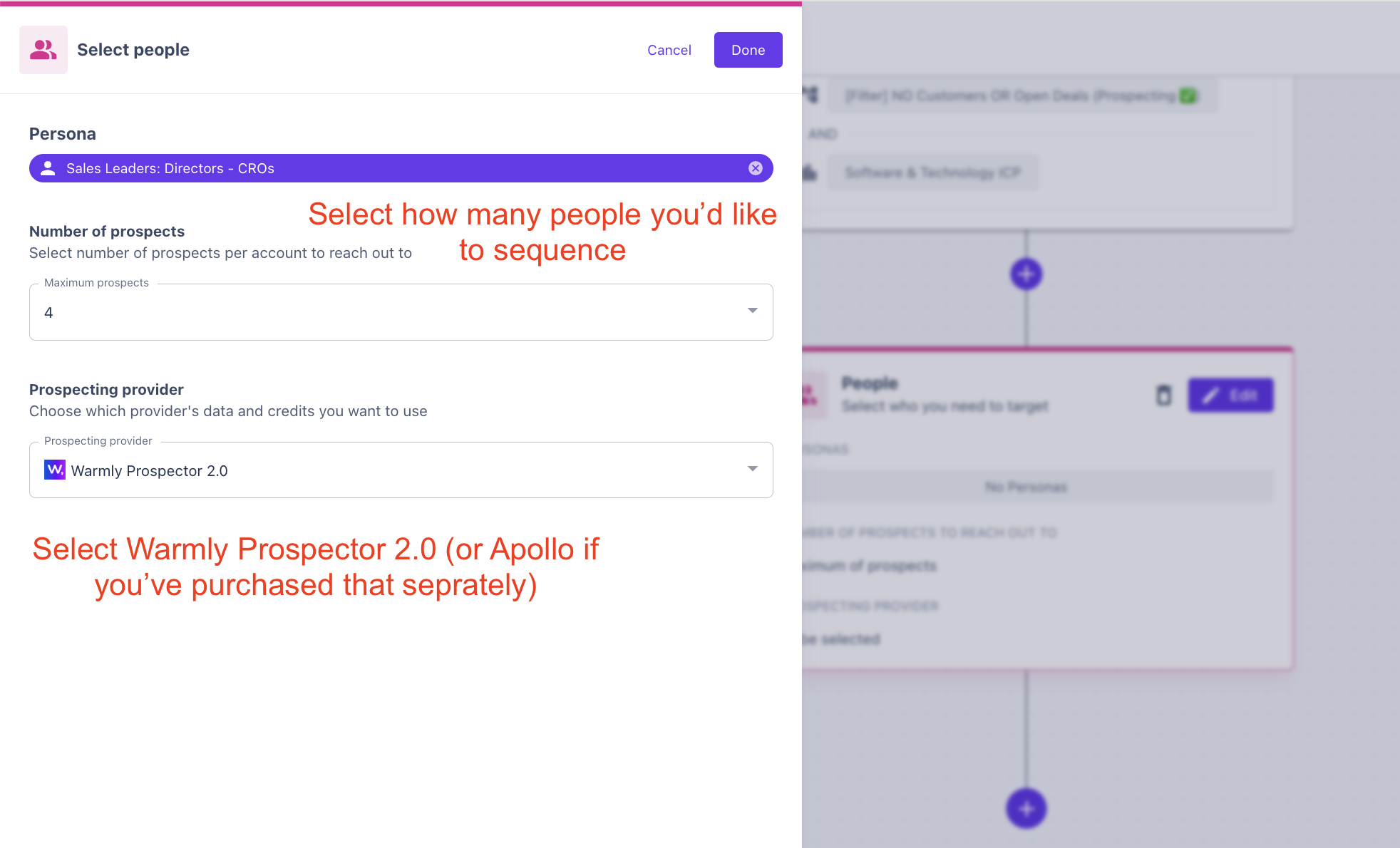
Sending Prospects Directly to an Email Sequence
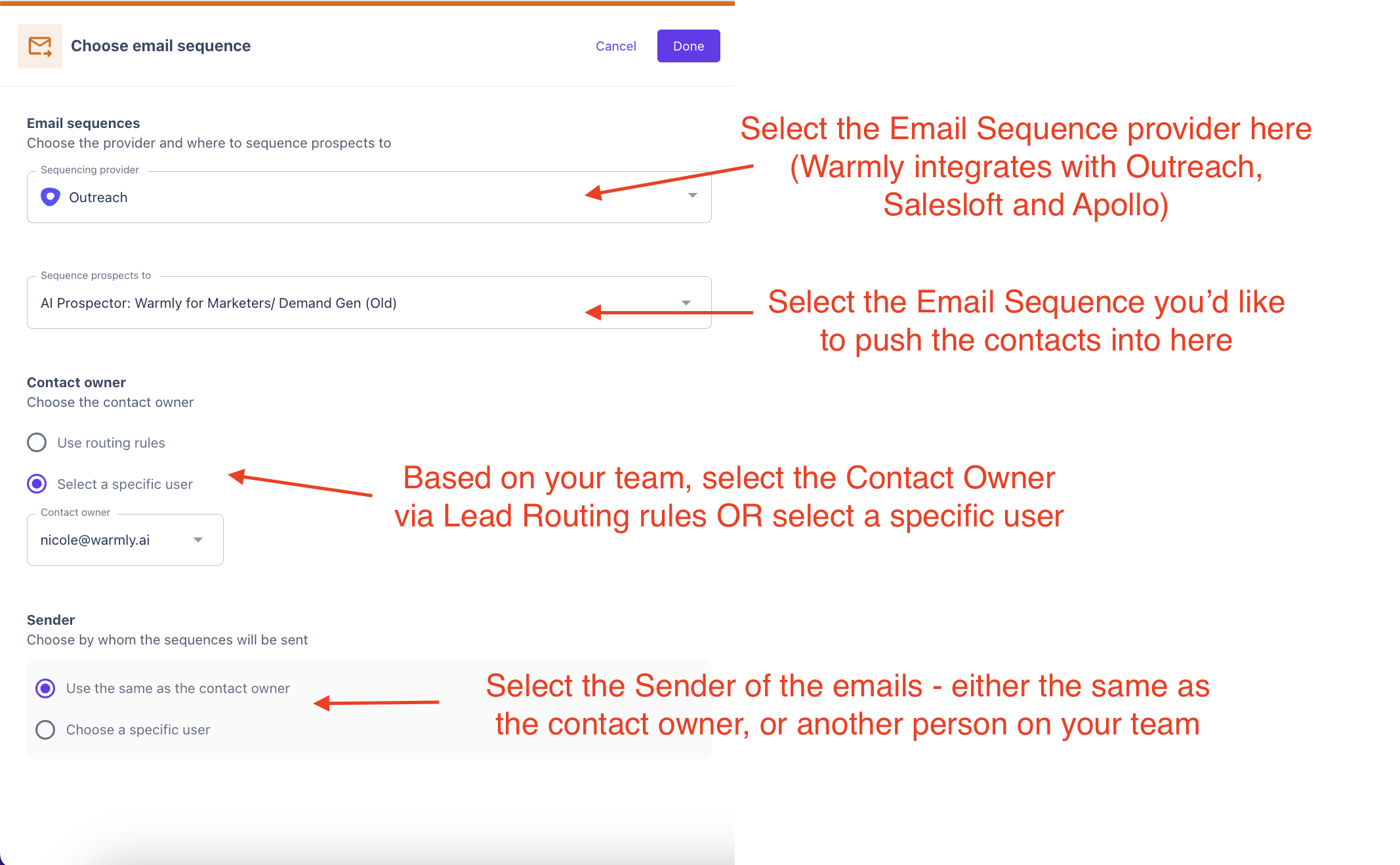
NOTE: The email sequences must be ACTIVE and the Contact Owner & Sender must be ACTIVE AND have the ability to use the sequence.
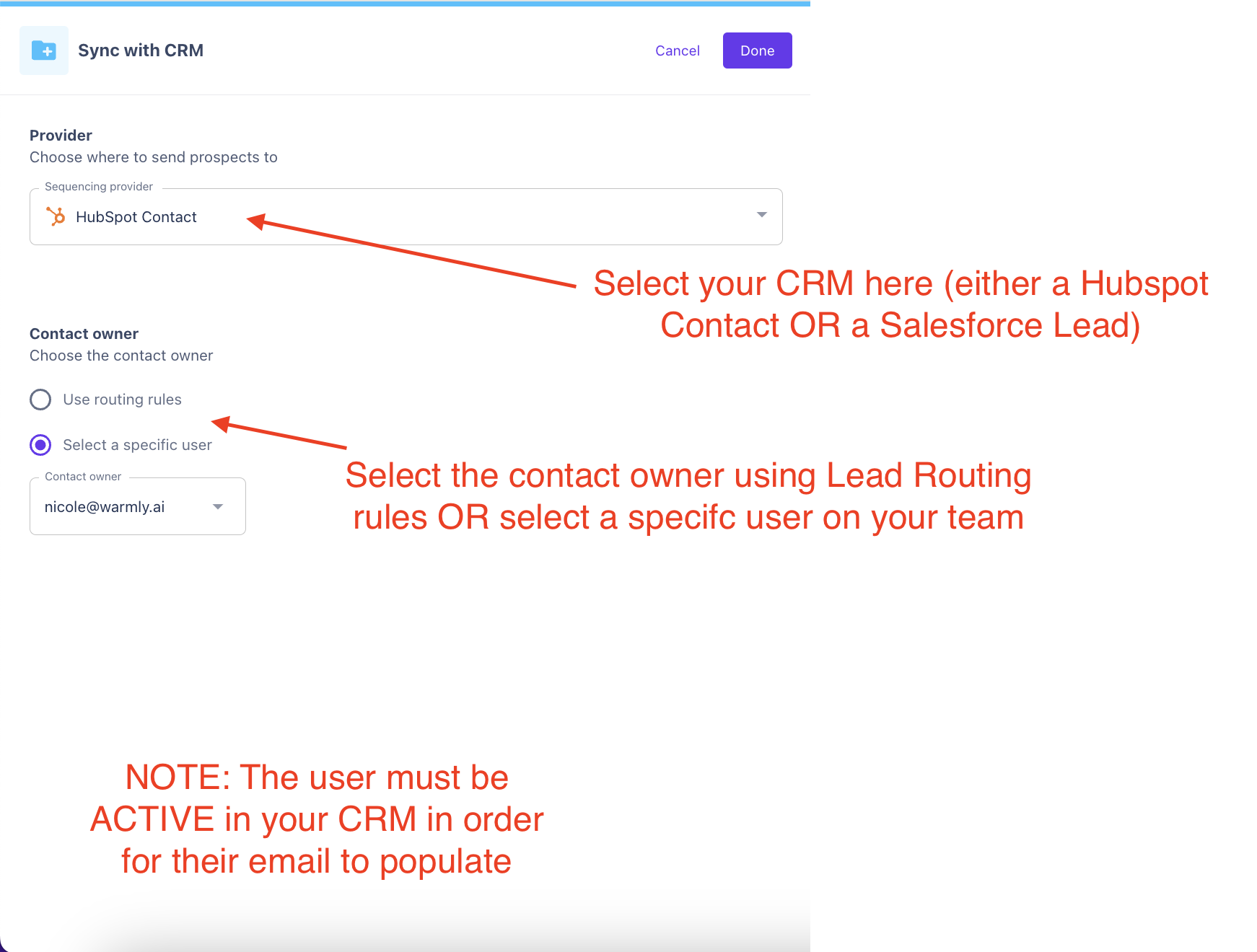
Sending Prospects Directly into your CRM
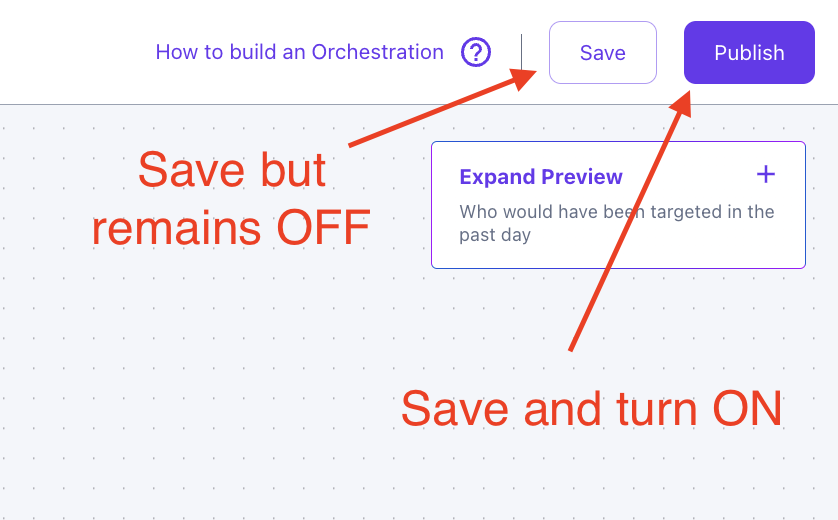
Last Step !!!
Publish or Save your Orchestration
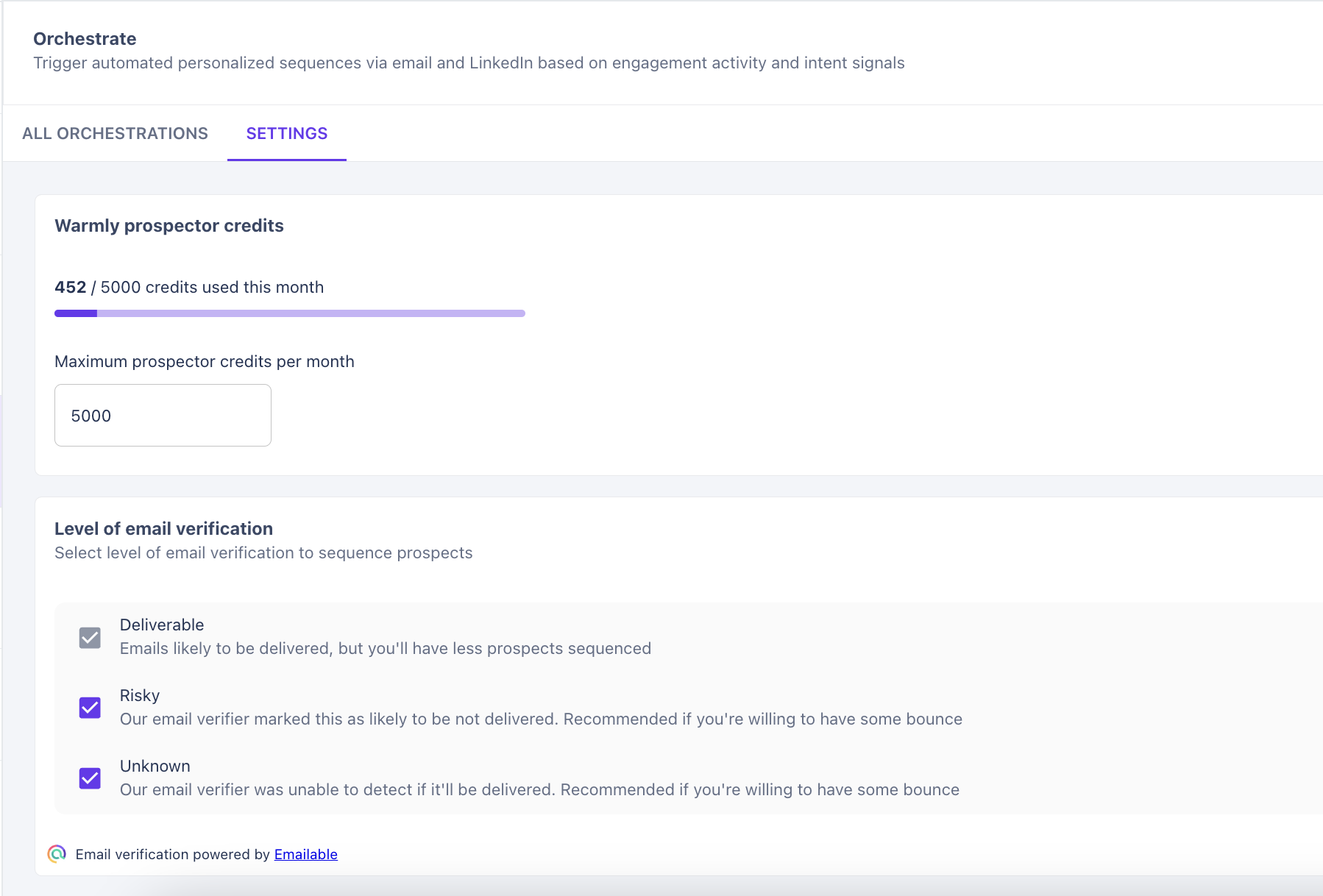
Settings
In the Settings tab, we can see the status of your Warmly Prospector credits
as well as the level of email verification you want to perform while prospecting.
Deliverable is automatically ON (this is why its grayed out)
You can turn ON or OFF risky and unknown emails if you choose.
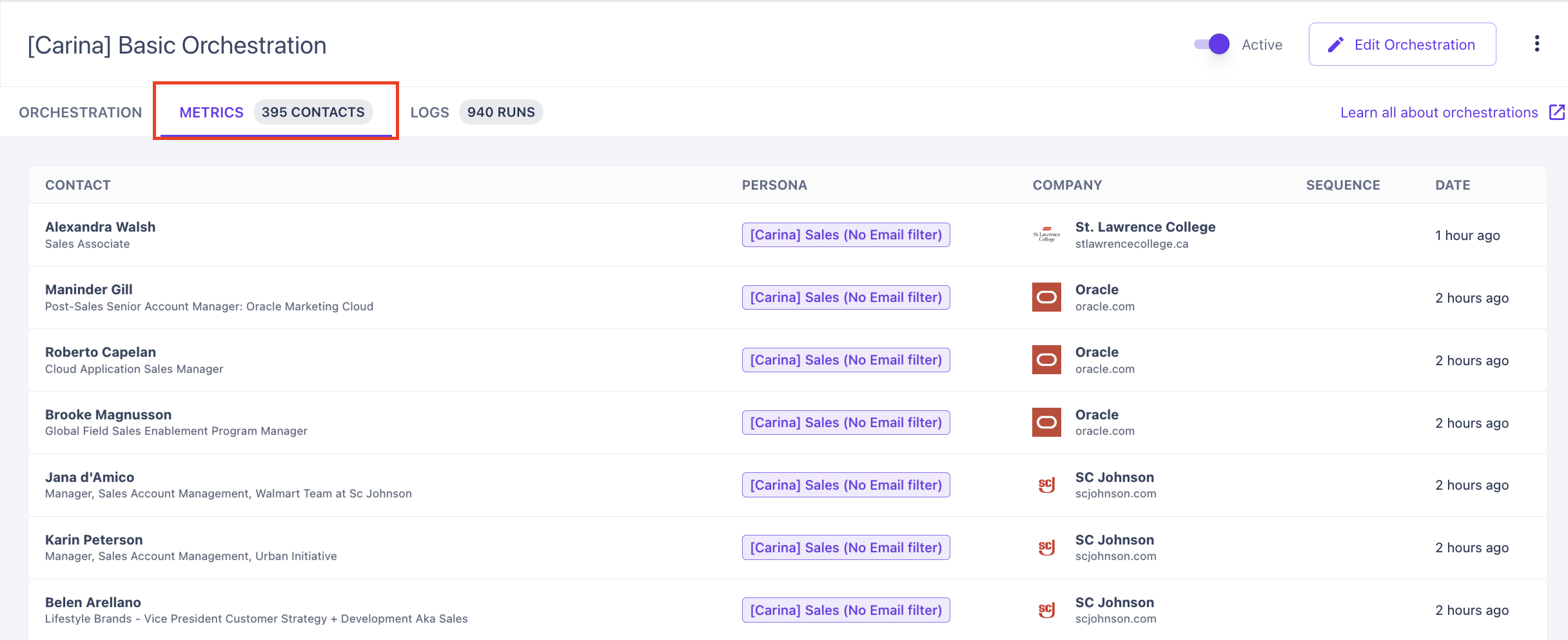
Metrics and Run Logs
See Metrics of contacts pulled by each Orchestration.
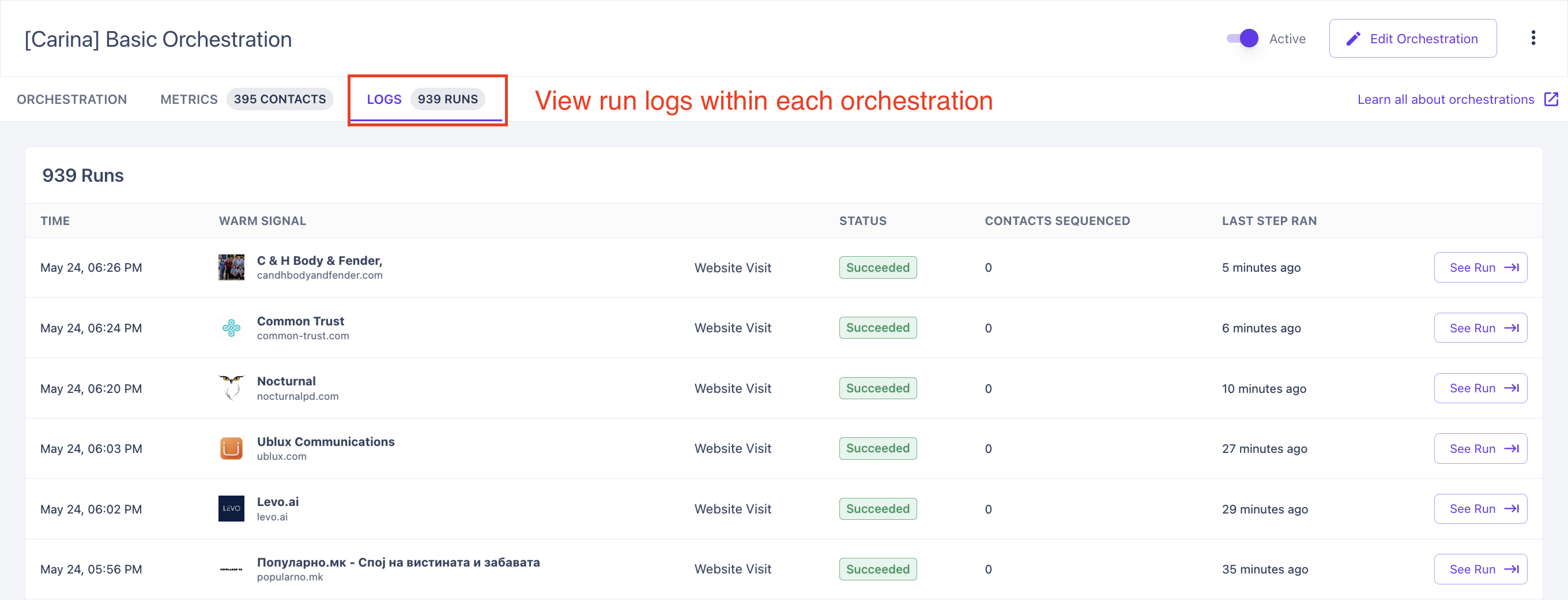
See the run logs of each orchestration. If you see an error, please reach out to your CSM right away!
This article was written by the Customer Success team at Warmly. Please feel free to reach out to your CSM directly or [email protected]