Migrating from Slack V1 to V2
Last updated: March 10, 2026
Note: Slack integration is available to all Warmly users.
Why This Matters?
We’ve officially retired our original Slack integration and are rolling out a new, and improved version of our Slack integration to every organization. This upgrade delivers an intuitive interface, greater stability, and cleaner alert management - so you can get the notifications you need, faster and more reliably.
Below is a quick guide to help you migrate your existing Slack alerts to Slack V2 in just a few clicks!
⚠ Before You Begin
Please make sure of the following:
Ensure that your slack channels are public channels.
Slack V2 does not currently support private channels. Here's a step-by-step guide on how to convert a channel to public.You must have the right permissions.
The person performing the migration should be a Slack Admin or have permission to install apps. Failure to do so will result in this error:{"statusCode":500,"error":"Internal Server Error","message":"Error creating slack notification - Unauthorized"}
🛠 Step-by-Step Instructions
Follow these steps to use the feature:
Log in to your Warmly account.
Click the Settings icon (bottom-left corner).
In the Settings menu, go to Slack Alerts
Click “Migrate to New Slack”.
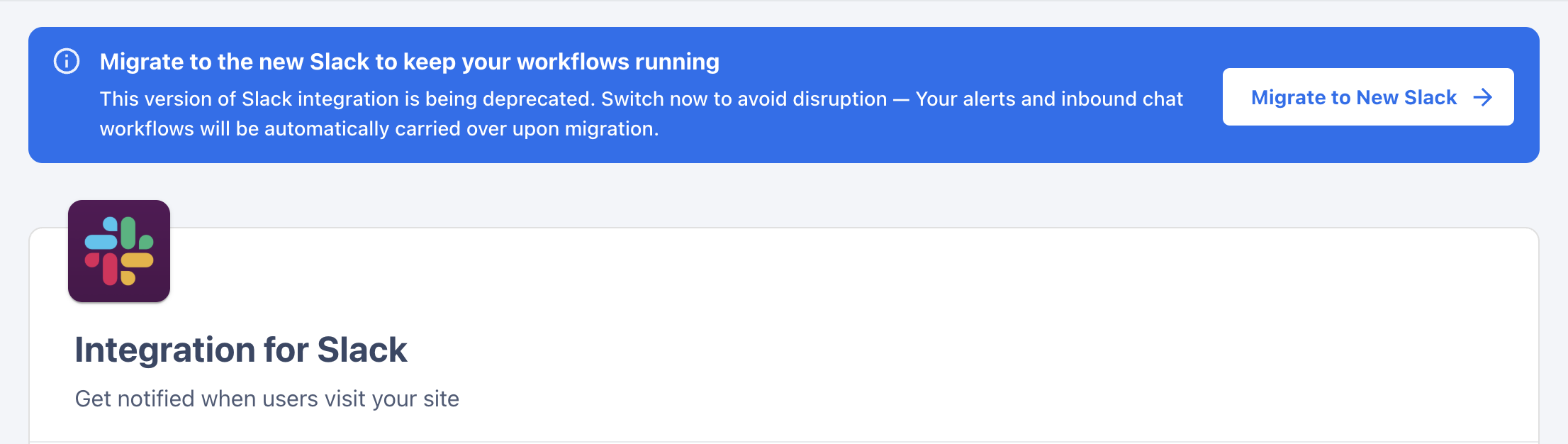
Follow the on-screen steps to complete the upgrade.
🚨 Important Update: Slack V1 "Replies to Chat" Alert Deprecation
The "Replies to Chat" alert from Slack V1 has been deprecated. As part of the migration, any channels that previously had this alert enabled will be automatically switched to the default "page visit" alert (i.e., alert on any page visit).
This change may result in receiving notifications for all site visits.
Note: Going forward, those can be set up directly inside your Chat workflows, giving you more control over when, and how notifications are sent!
➡ Next Steps
Have questions or feedback? Reach out to your CSM or email us at [email protected]