Warmly Integration Documentation: Apollo (for Sequencing)
Last updated: June 19, 2025
Apollo Integration Setup (for Sequencing)
Note: This is the documentation to integrate Apollo in order to be able to add prospects to sequences through Warmly. If you are looking for the documentation to integrate Apollo for persona enrichment, please go to this Help Center article.
Warmly's Apollo integration only takes a few seconds to set up, and will enable your team to add prospects to your Apollo sequences effortlessly (and, if you're using our AI Prospector tool, automatically!) straight from Warmly.
In order to set up the Apollo integration for sequencing, follow the below steps precisely.
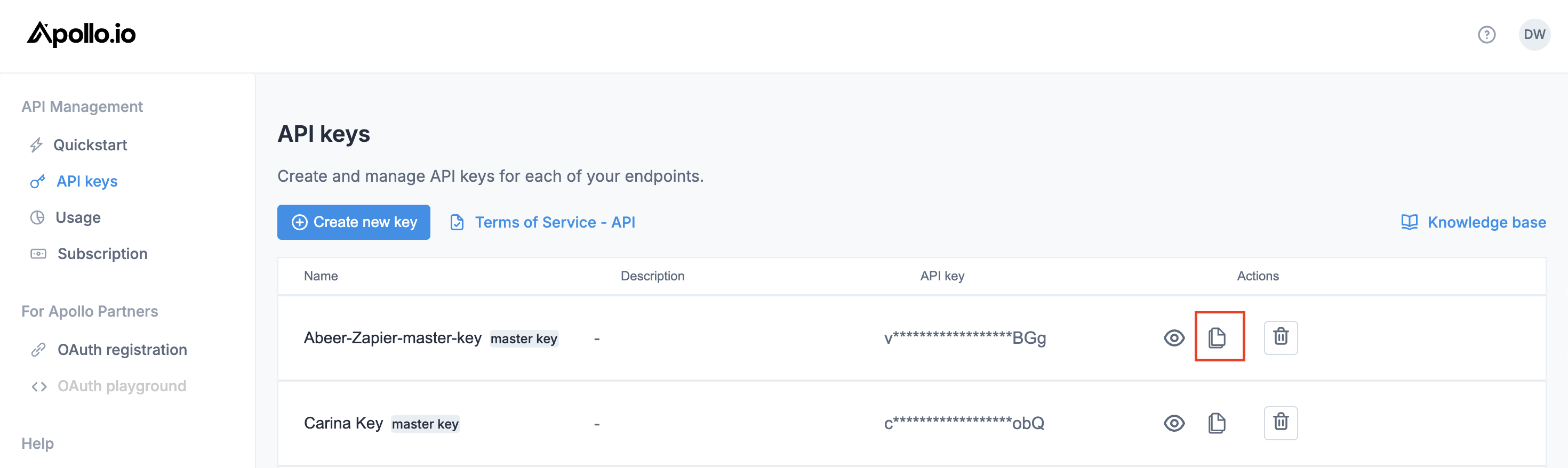
Follow these docs to create a NEW master API key: https://docs.apollo.io/docs/create-api-key
Once the master key has been created, copy it.
Head on over to your Warmly account, and paste the API key.
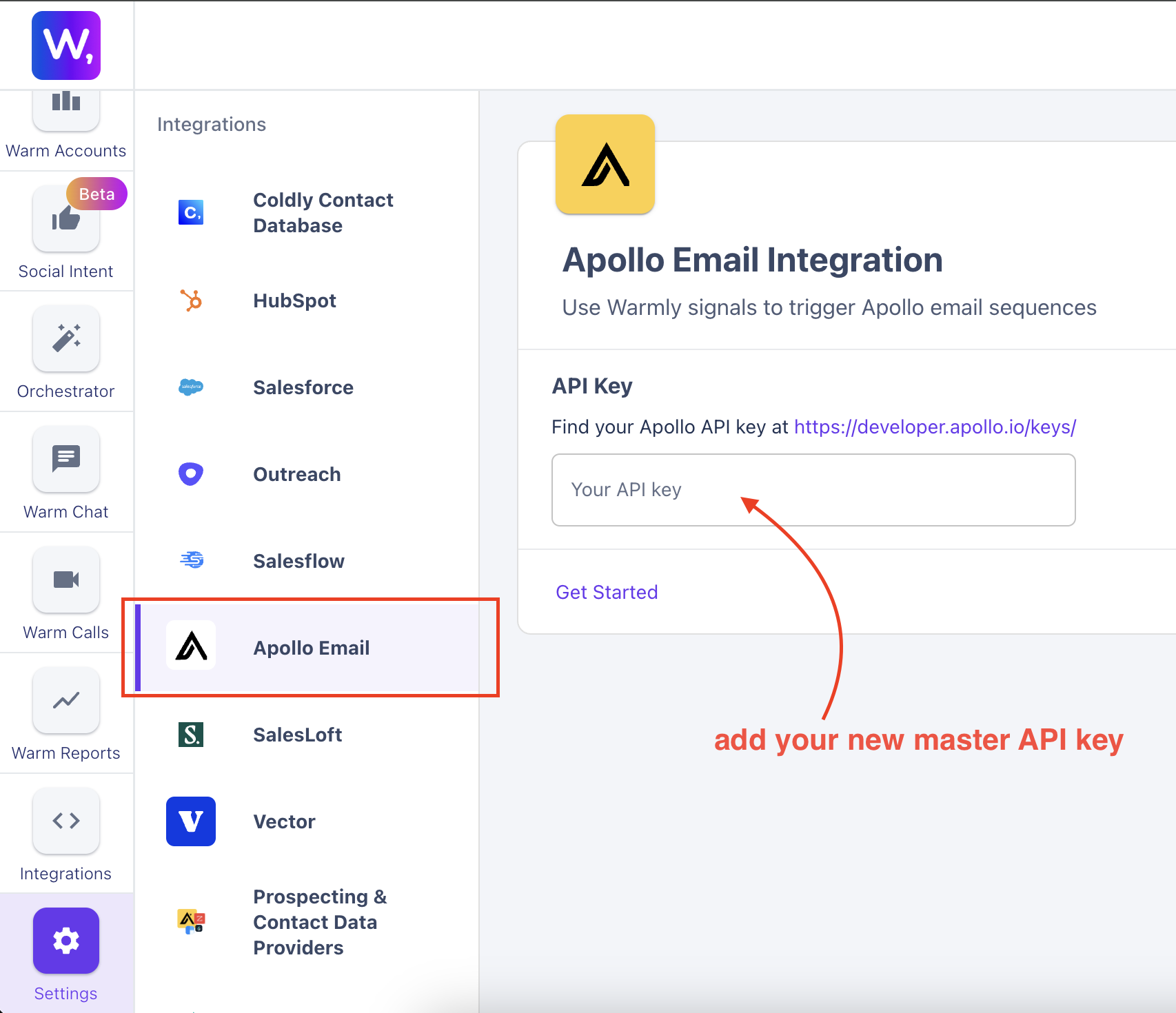
Finally, click on 'Get Started'.
Duplicate Data and Duplicate Outreach to Prospects
How Warmly Handles Duplicate Data
When Warmly detects that an existing contact or domain is already present in your Sales Engagement Platform (SEP), we take proactive steps to avoid writing back duplicate data. Here's how it works:
Contact and Domain Matching: Warmly compares the information of the contact or domain being synced with your SEP against existing records. We look for matches based on key identifiers such as email addresses or website domains.
No Overwriting: If Warmly detects a matching contact or domain in your SEP, we will not overwrite or create duplicate data. We will not reach out to that contact.
This article was written by the Customer Success team at Warmly. Please feel free to reach out to your CSM directly or [email protected]