Warmly Integration Documentation: Apollo (for Persona Enrichment)
Last updated: June 19, 2025
Apollo Integration Setup (for Persona Enrichment)
Note: This is the documentation to integrate Apollo in order to enrich personas using your Apollo credits in Warmly. If you are looking for the documentation to integrate Apollo to add prospects to Apollo sequences through Warmly, please go to this Help Center article.
Warmly's Apollo integration for persona enrichment only takes a few seconds to set up, and will enable your team to use your Apollo credits to enrich personas within the Warmly platform.
In order to set up the Apollo integration for sequencing, follow the below steps precisely.
Follow these docs to create a NEW API key: https://docs.apollo.io/docs/create-api-key
NOTE: When creating your Apollo API key for Warmly Enrichment, you must select the TWO APIs below before creating the API key (and it is fine that this turns off the Master key toggle).
api/v1/people/match
api/v1/mixed_people/search
Once the API key has been created, copy it.
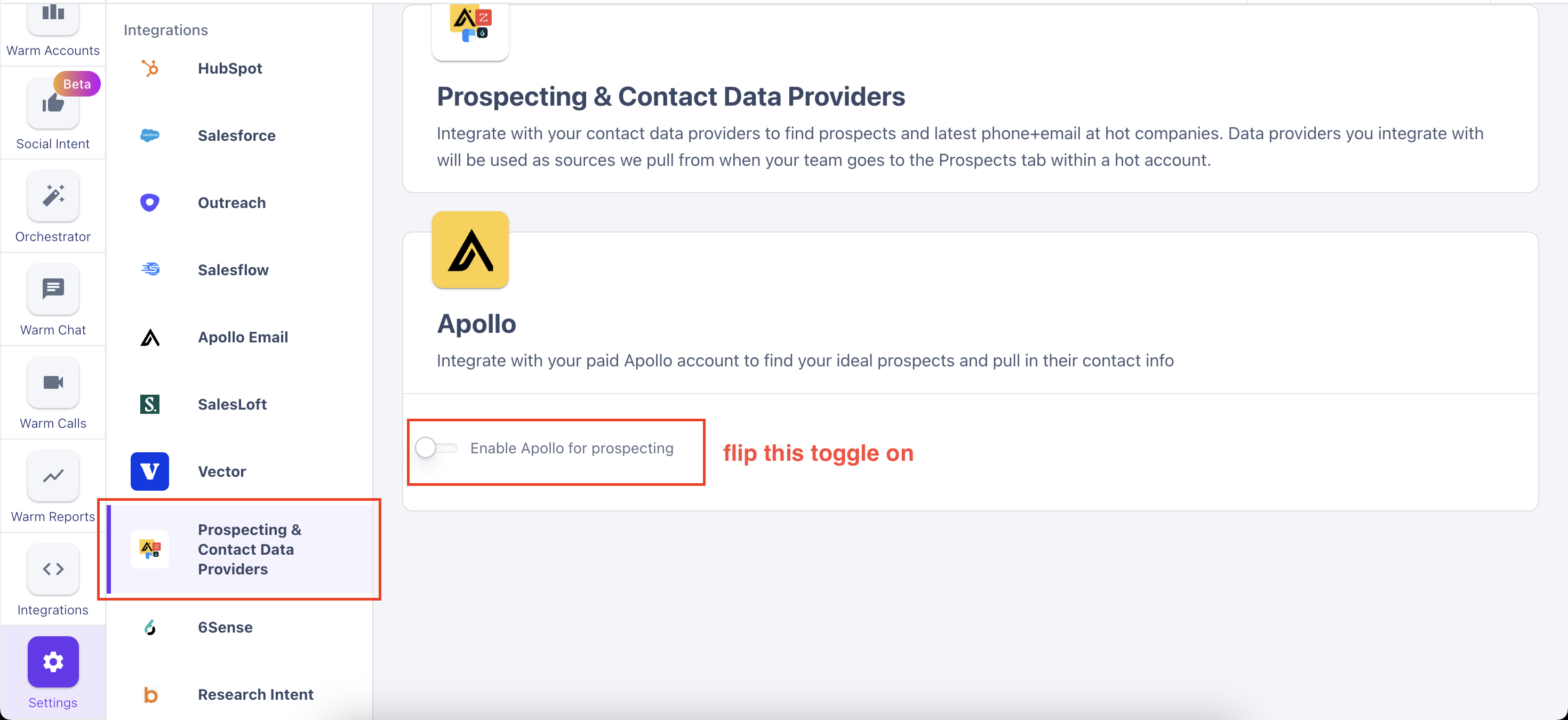
Head on over to your Warmly account, and flip the 'Enable Apollo for prospecting' toggle on.
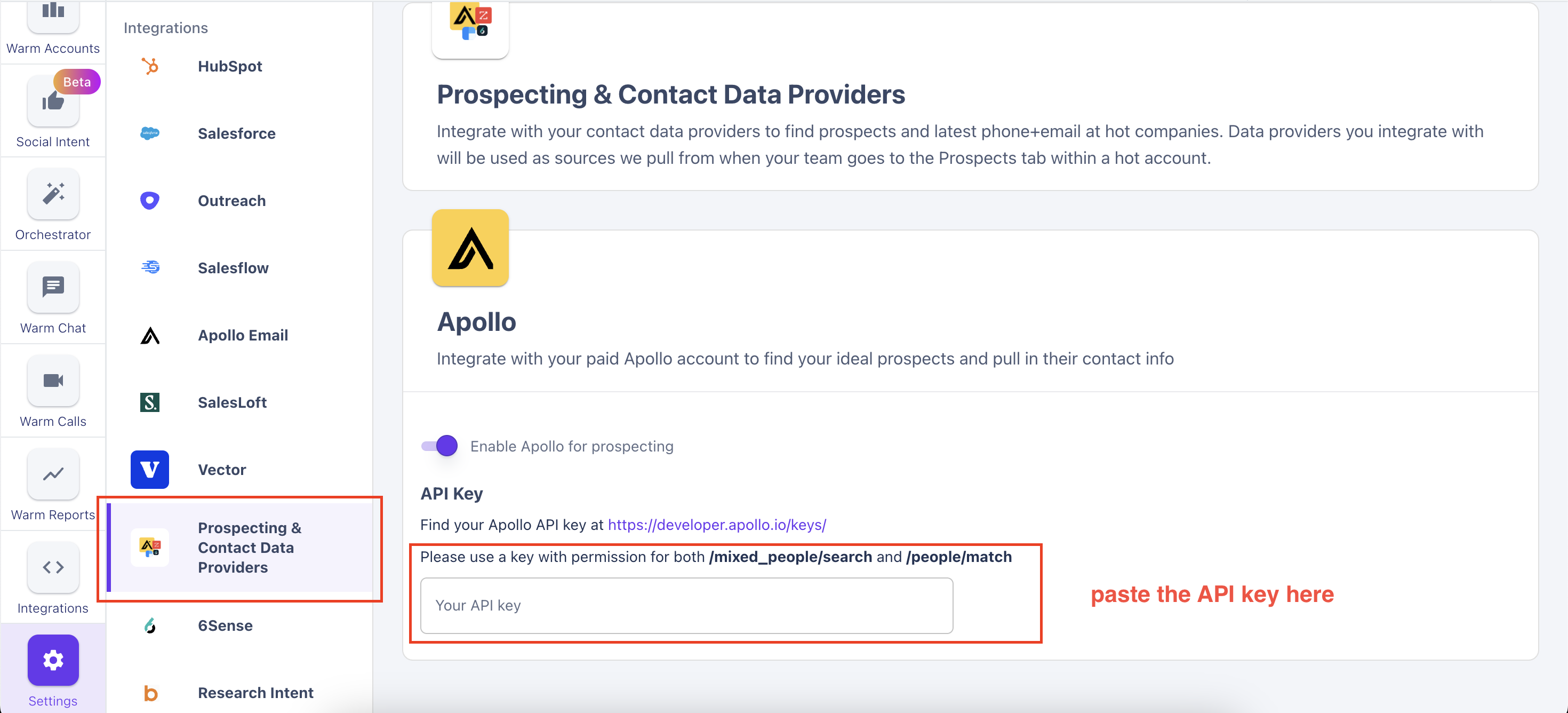
Finally, paste the API key
This article was written by the Customer Success team at Warmly. Please feel free to reach out to your CSM directly or [email protected]