How to set up Lead Routing
Last updated: June 16, 2026
Note: Lead Routing is not available on the Free plan
Organize your sales strategy with our new lead routing feature! Lead routing allows you to distribute new, unassigned leads to your team based on company size, territory, or through a fair round-robin system, ensuring no lead is missed. Plus, your existing prospects get to chat with their pre-assigned reps, boosting engagement and sealing the deal with a friendly touch!
⚠ Before You Begin
Make sure:
Your CRM integration is connected and syncing properly.
The reps who should receive leads have been added as users in Warmly.
🛠 Step-by-Step Instructions
Step 1: Create a new Route
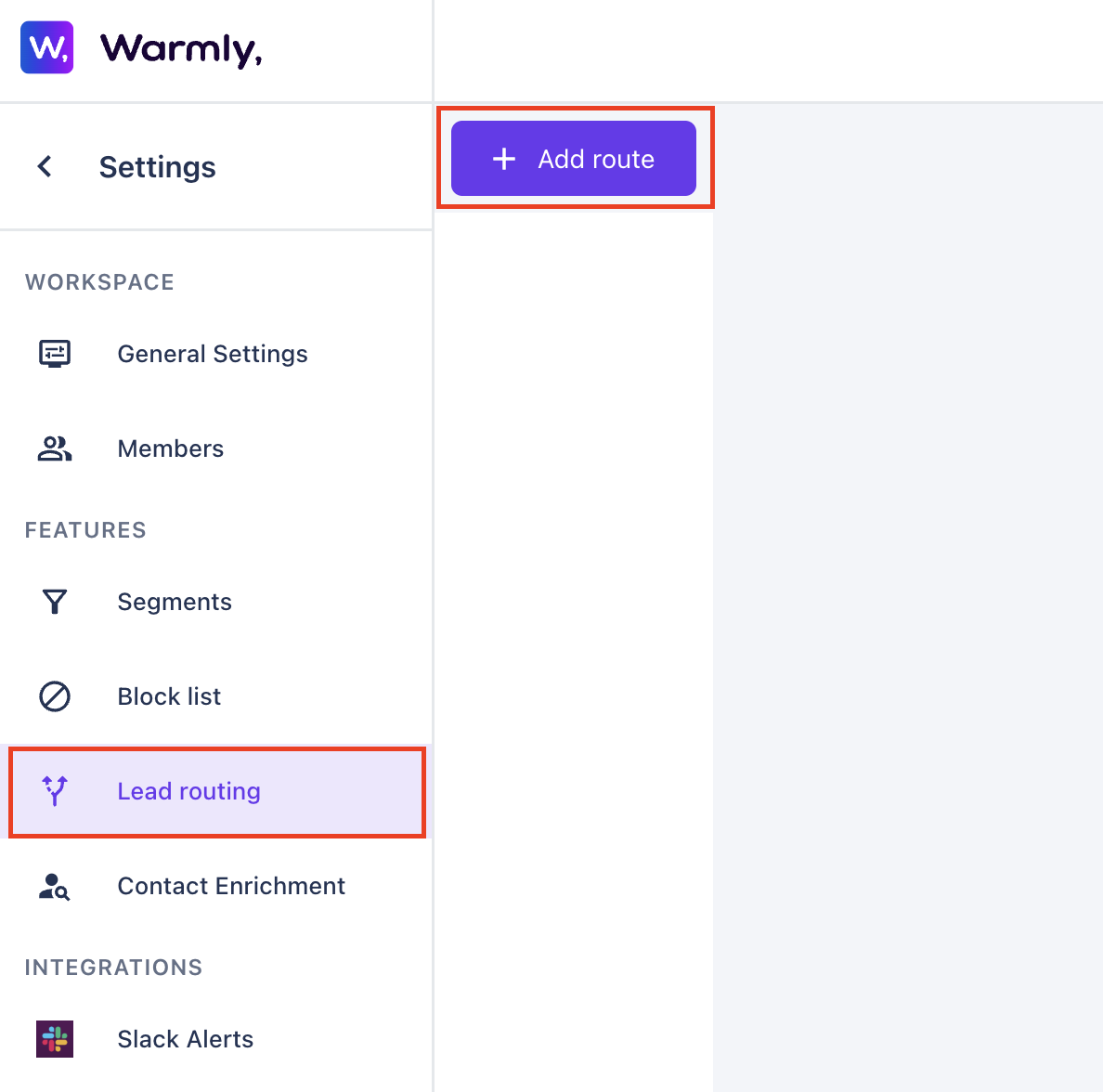
Navigate to Settings → Lead Routing.
Click Add Route.
Enter a name for your route.
Choose a name that clearly describes the routing logic, such as:
North America Inbound Routing
Existing Customer Routing
Enterprise Sales Routing
Demo Request Assignment
Once created, you'll configure how Warmly should prioritize CRM ownership and routing rules.
Step 2: Configure CRM Owner priority
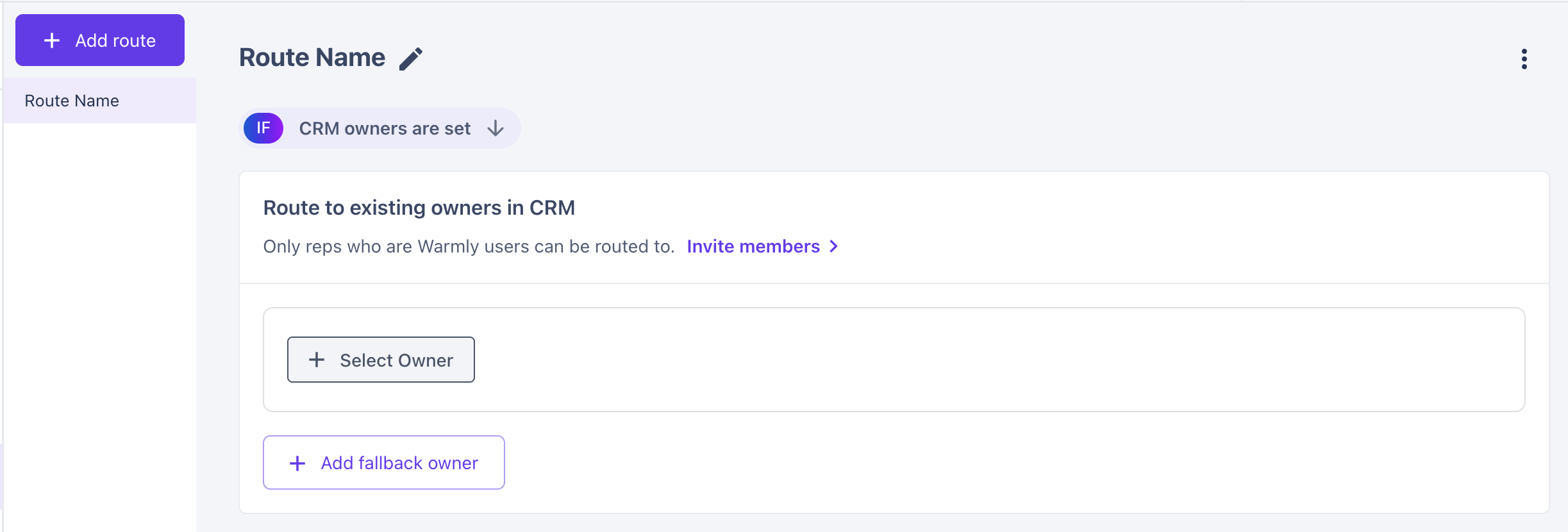
Warmly can look up ownership across several CRM object types, allowing you to route visitors based on the relationship that matters most to your team.
Supported CRM Object Types
Account (Salesforce) / Company (HubSpot)
Best for: Routing all visitors from an existing customer's domain to the person responsible for that account, such as a CSM or Account Executive, regardless of which individual is visiting
Example:
Sarah from Acme visits your website
Sarah already exists in Salesforce and is owned by John
Warmly routes Sarah directly to John
This is the company-level record. Warmly uses the standard Account Owner field in Salesforce or Company Owner field in HubSpot.
Contact (Salesforce / HubSpot)
Best for: Routing known individuals to the rep who already owns the relationship with that specific contact
Example:
A new employee from Acme visits your website for the first time.
Warmly doesn't know the individual, but Acme's Account Owner is Jane.
Warmly routes the visitor to Jane.
This is the person-level record matched using the visitor's email address. Warmly uses the standard Contact Owner field.
Lead (Salesforce Only)
Best for: Organizations that manage ownership on Leads before converting them into Contacts and want that ownership to drive routing decisions
Example:
A prospect fills out a form and already exists as a Salesforce Lead owned by Mike.
Warmly routes the visitor to Mike.
This is Salesforce's pre-conversion Lead object. Warmly uses the standard Lead Owner field.
Opportunity (Salesforce) / Deal (HubSpot)
Best for: Routing visitors involved in an active sales cycle to the Account Executive managing that deal, even when the Account Owner is someone else
Example:
Acme has an open opportunity owned by Emma.
Even though the Account Owner is someone else, Warmly routes the visitor to Emma because she is actively managing the deal.
These are active pipeline records associated with a company. Warmly uses the owner of the Opportunity or Deal.
Multi-CRM Support
For each lookup, you can choose which CRM Warmly should query.
For example, if you use both Salesforce and HubSpot, you can:
Route to the Salesforce Account Owner
Route to the HubSpot Company Owner
Prioritize one CRM over the other
Chain multiple lookups together in a defined order
This flexibility allows CRM ownership routing to align with your existing processes rather than forcing a single source of truth.
Custom Owner Fields
In addition to standard owner fields, Warmly supports routing from custom text fields on supported CRM objects.
Warmly can resolve ownership from either of the following values stored in the field:
Email Address — Warmly matches the value to a Warmly user with the same email address.
CRM User ID — Warmly looks up the corresponding CRM user and maps them to a Warmly account.
This enables routing based on specialized ownership models, such as:
BDR / SDR Owner — Route inbound leads to the business development representative actively working the account rather than the Account Executive.
Account Manager / Customer Success Owner — Route existing customers directly to their CSM or Account Manager.
Any Custom Ownership Model — Route using any owner-based field your organization has created in Salesforce or HubSpot.
Note: Custom owner fields must be stored as text values that contain either an email address or a CRM user ID
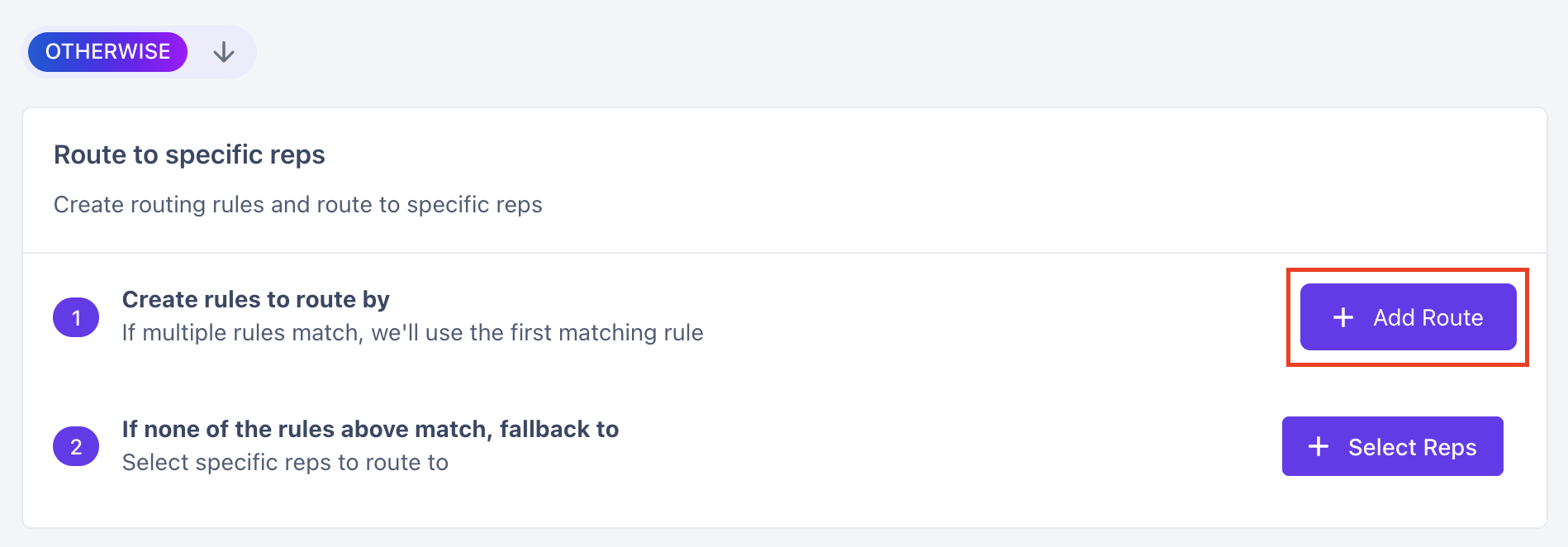
Step 3: Configure routing rules
Routing rules determine where leads go when no CRM owner can be found.
A Rule has two parts: the matching criteria (defined using a Warmly segment) and the reps that get the lead when the rule matches. Rules are evaluated top-down, and the first matching rule wins — order matters.
A Rep is a Warmly user who has been added to a rule or fallback list. Each rep tracks a round-robin counter so workload is distributed evenly.
For each rule:
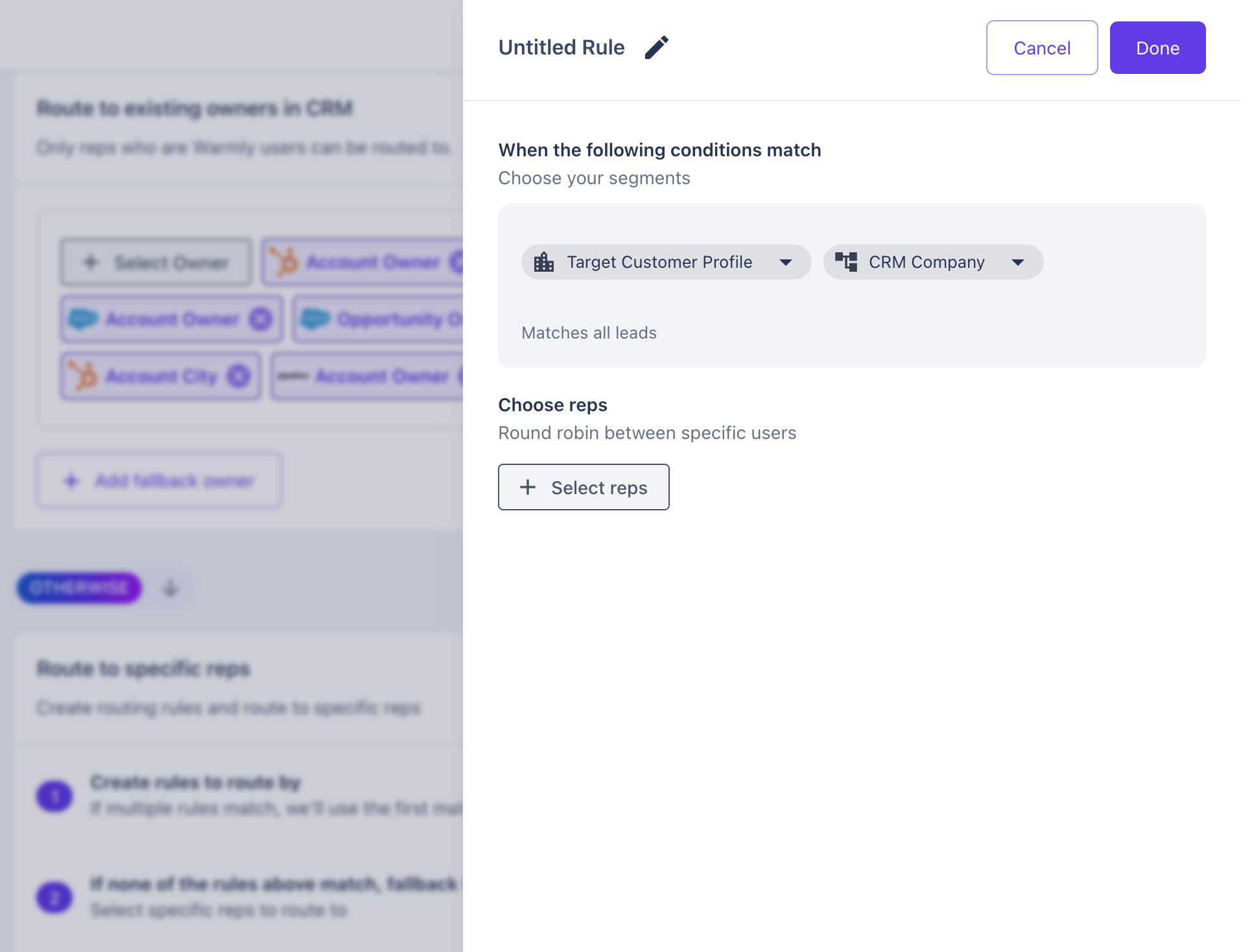
Give the routing rule a name
Apply any Target Customer Profile or CRM Company segment filters. Here's how you can build a segment →
Select rep(s) that will be assigned, if a lead meets the conditions configured for this rule. When multiple reps are added, Warmly distributes assignments using round-robin logic.
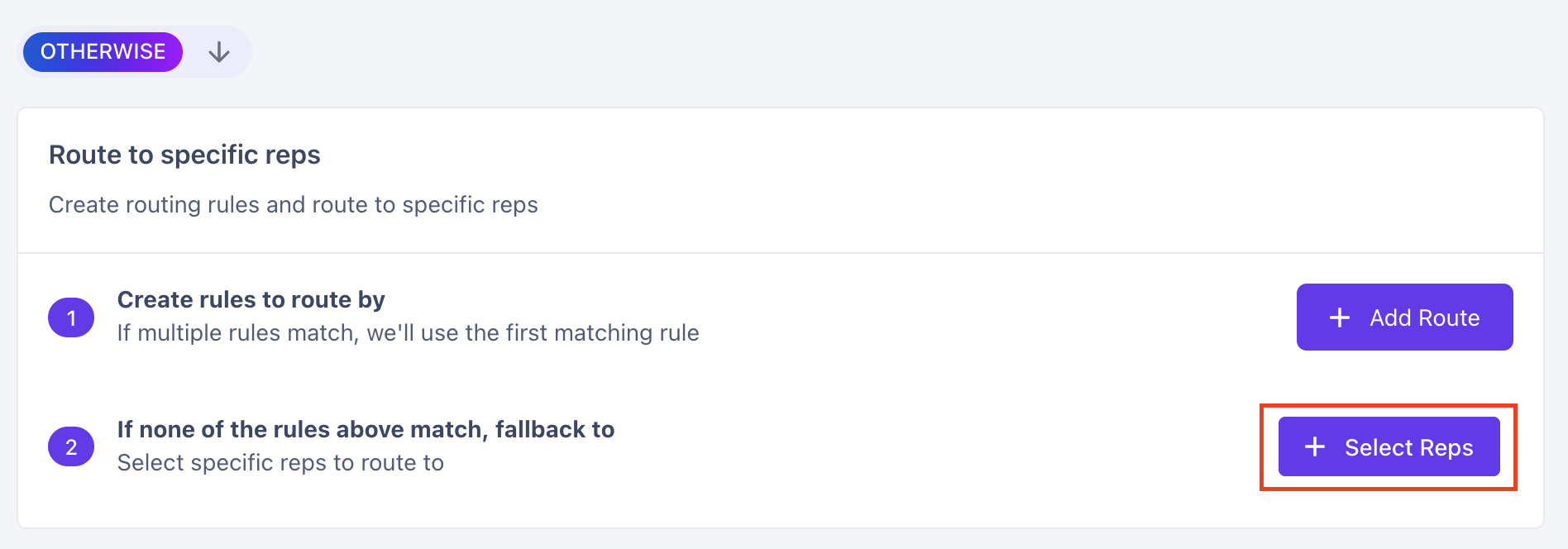
Step 4: Configure fallback reps
Fallback reps serve as your safety net. If no CRM owner is found and no routing rule matches, Warmly assigns the lead to the fallback pool.
Recommended: Always configure at least one fallback rep.
This helps ensure new visitors and edge cases still receive an owner.
❓How Warmly Determines Lead Assignment
Whenever a routing event occurs—such as a chat starting, a workflow requesting an assignment, or a Slack notification being triggered—Warmly follows a defined routing sequence. The first step that successfully identifies an owner determines the assignment.
Step 1: Identify the Visitor
Warmly first attempts to identify the visitor's company using the email address or domain associated with the visitor. If neither an email nor domain is available, the lead is immediately routed to the fallback rep pool.
Step 2: Check CRM Owner Priority
If CRM owner routing tiers are configured, Warmly searches for an existing owner in your CRM before evaluating any routing rules.
If an eligible owner is found:
The lead is assigned directly to that owner.
Rule evaluation stops immediately.
This behavior ensures that existing customer relationships in your CRM take precedence over round-robin routing. If no eligible owner is found in any tier, Warmly proceeds to rule evaluation.
Step 3: Evaluate Routing Rules
If no CRM owner is identified, Warmly evaluates routing rules from top to bottom and stops at the first matching rule. For a rule to match, all configured conditions must be satisfied.
Step 4: Use Fallback Reps
If no routing rule matches, Warmly assigns the lead using the fallback rep pool. Fallback reps participate in the same round-robin process used by standard routing rules.
Step 5: Select a Rep via Round Robin
Once Warmly determines the appropriate rep pool—either from a matching rule or the fallback list—it selects a rep using round-robin distribution.
Three key behaviors influence the selection:
Sticky Assignment (24 Hours)
If the same visitor was routed within the previous 24 hours, and the previously assigned rep is still eligible and available, Warmly will return the same rep. This helps maintain continuity and prevents multiple reps from engaging the same visitor across consecutive visits.
Lowest Counter Wins
Among all available reps, Warmly selects the rep with the lowest round-robin count and then increments that rep's counter.
Availability Is Always Respected
Before making a selection, Warmly filters out any reps who are unavailable due to out-of-office settings, capacity limits, or other availability restrictions.
When every rep on the matching rule is marked unavailable, Warmly doesn't drop down to the fallback list and it doesn't leave the lead unassigned. It picks one rep from the matching rule at random so the lead still gets owned.
❓Why a Lead Might Not Be Routed
In certain situations, Warmly may intentionally leave a lead unassigned:
Insufficient Identification Data: The visitor does not have enough information available (such as an email, domain, or identifiable company) for Warmly to determine routing. Once additional identifying information becomes available, routing can be re-evaluated.
Blocklist or Data-Quality Exclusion: The visitor matches a segment or safeguard that has been specifically configured to exclude them from routing.
A rule matched but has no reps configured on it, and there are no fallback reps either — the route has nothing to pick from at any level.
Have questions or feedback? Reach out to your CSM or email us at [email protected]