Applying Lead Routing Throughout Warmly
Last updated: June 19, 2025
⭐️ NEVER SEND LEADS TO THE WRONG REP AGAIN!!!
Revolutionize your sales strategy with our new lead routing feature! Effortlessly distribute new, unassigned leads to your team based on company size, territory, or through a fair round-robin system, ensuring no lead is missed. Plus, your existing prospects get to chat with their assigned reps, boosting engagement and sealing the deal with a friendly touch!
Applying Lead Routing to Slack Channels - WHO TO @MENTION
Go to the Slack Integration, under "Who to @mention in Slack" select the Route you created.
This will tag the appropriate rep in Slack so they can be notified asap when one of their leads/accounts/opportunities visits the website. If no rep is assigned, the lead routing will take over to distribute the lead.
Applying Lead Routing to Who Sends a Chat Message
When a new, unowned prospect visits your site, the lead routing will prompt Chat to send a message to the prospect from the correct rep, based off the routing rules. Any existing prospects will have their corresponding owner send the Chat message.
This will tag the appropriate rep in Slack so they can be notified asap when one of their leads/accounts/opportunities visits the website. If no rep is assigned, the lead routing will take over to distribute the lead.
Step 1 - Go to Chat, and select the workflow you'd like to apply the Route to.
😎 PRO TIP: different Chat workflows can have different Lead Routing rules
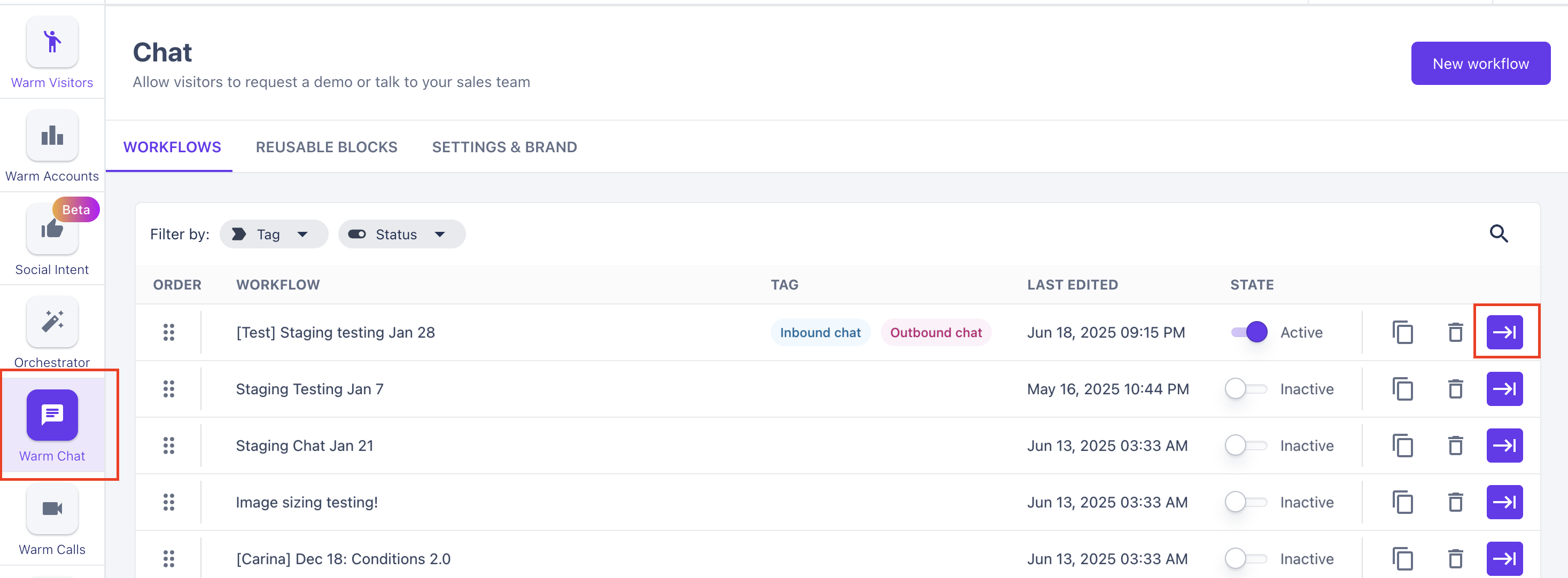
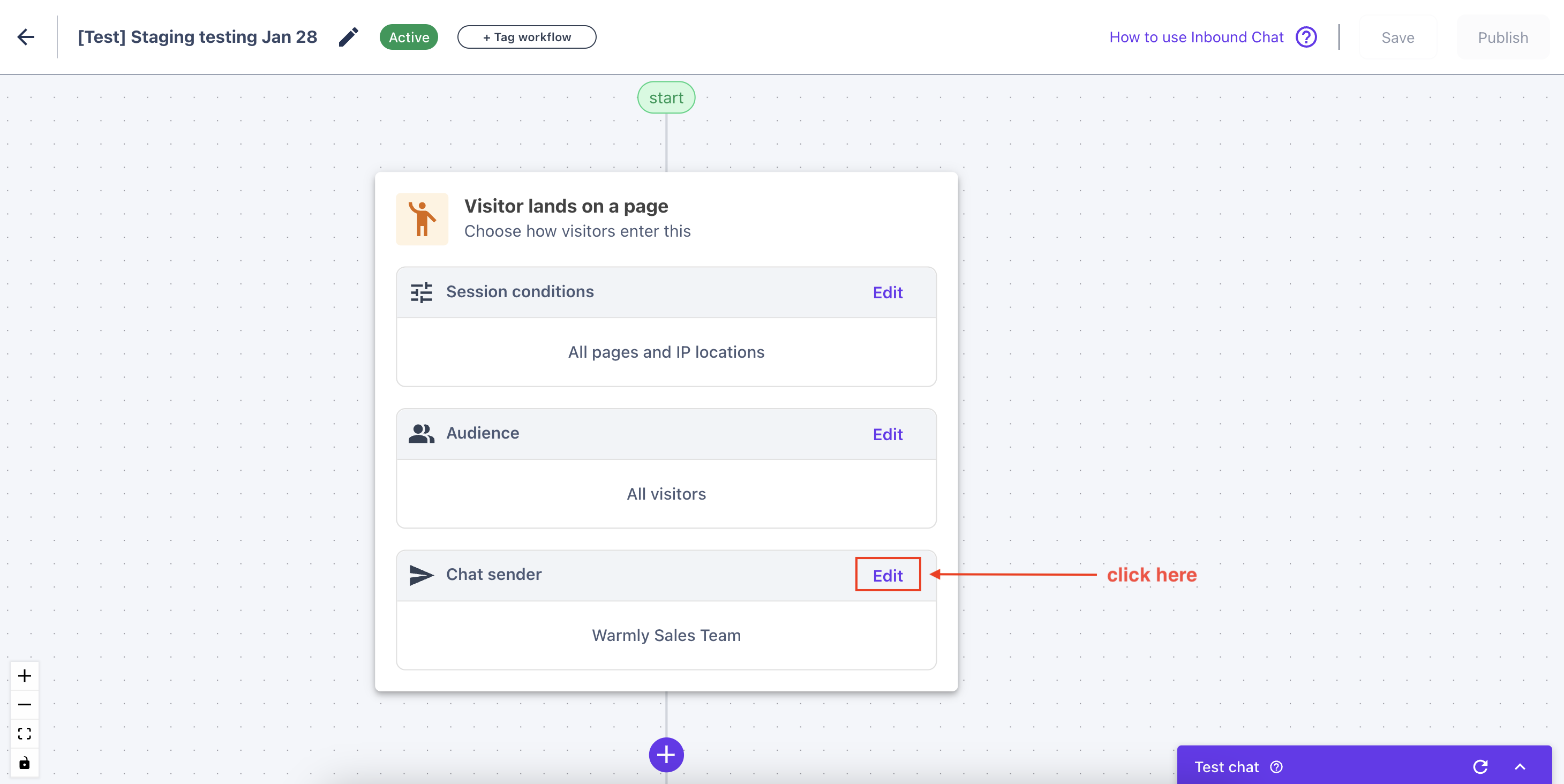
Step 2 - Within the Chat workflow, edit the Chat Sender.
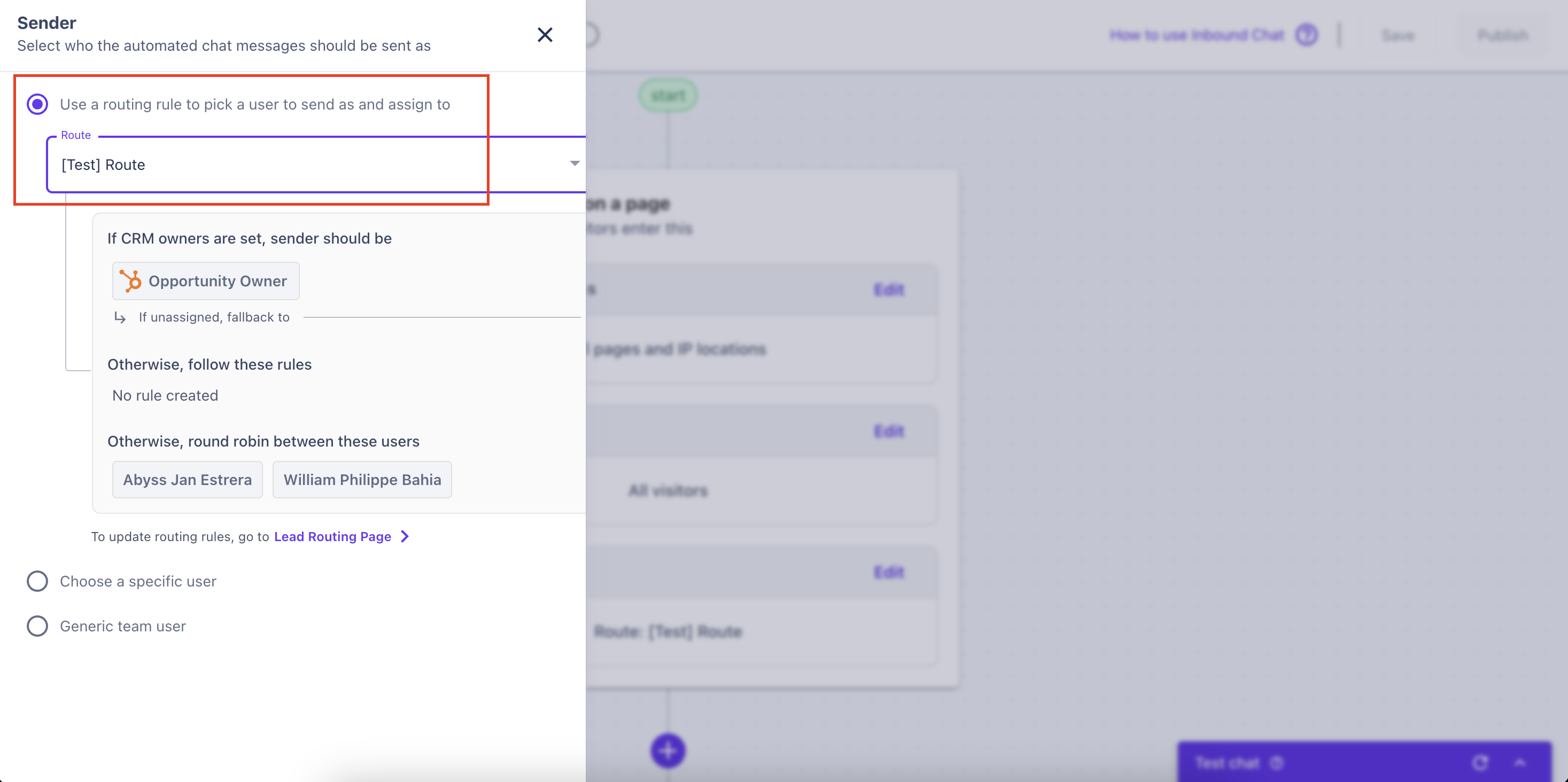
Step 3 - Under "Sender" select "Routing Rule" and select the appropriate route.
Applying Lead Routing to Chat Notifications in Slack
When adding Slack notifications throughout your Chat workflows, Warmly Lead Routing gives you the ability to decide who you want to @mention in Slack when a prospect interacts with Chat.
You are able to select your Default Lead Routing Notifications, OR you can mention the chat sender.
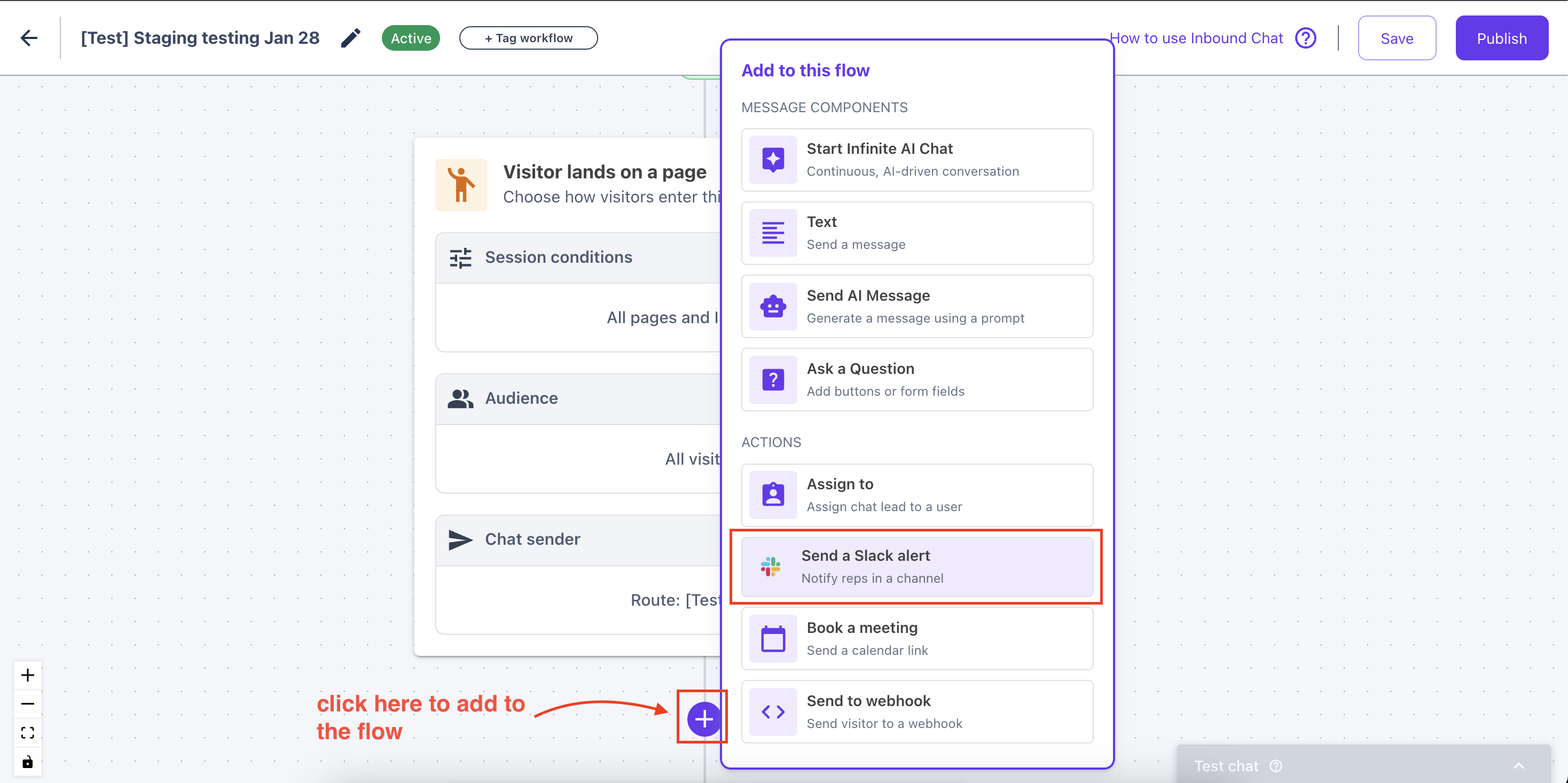
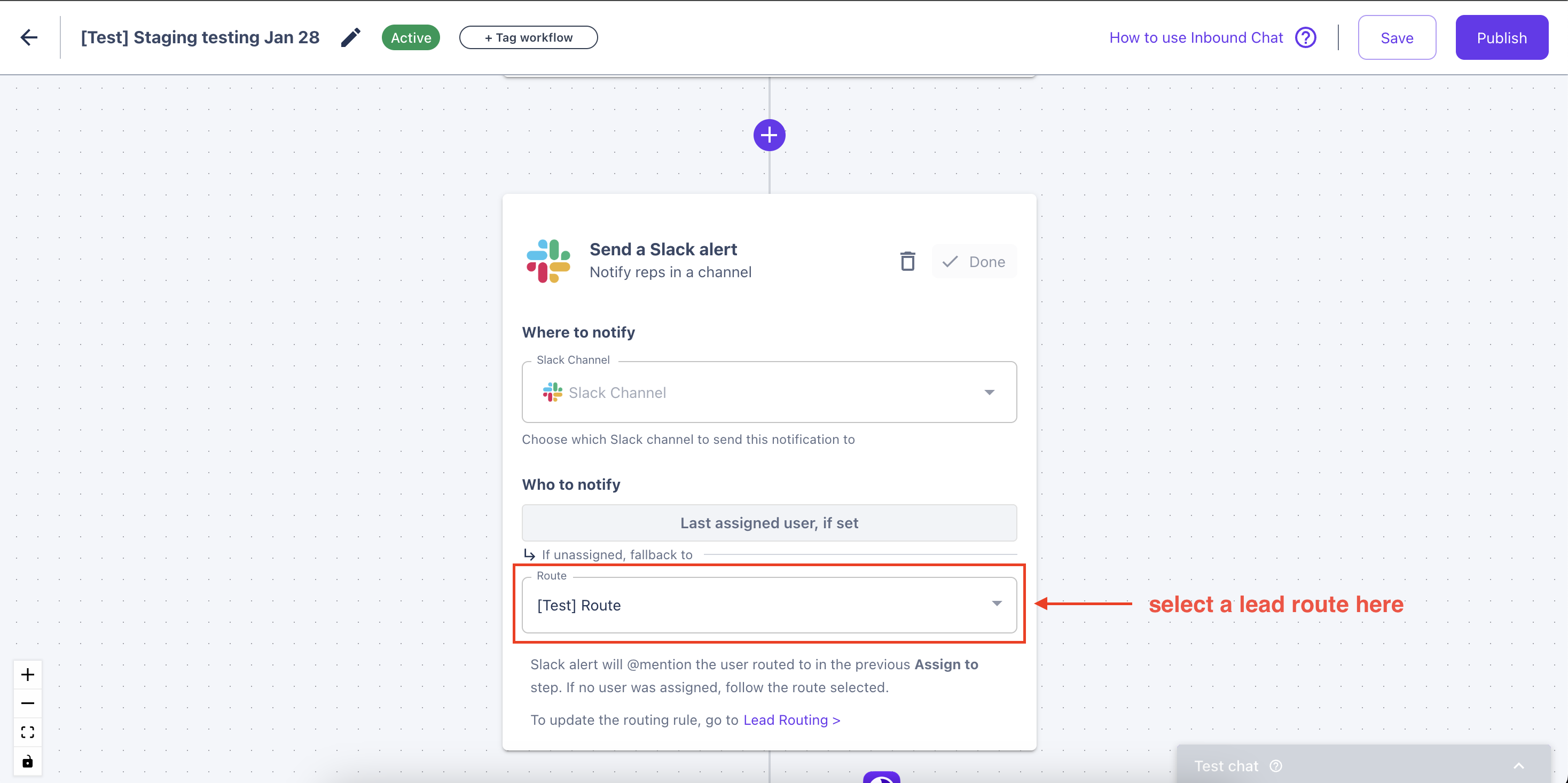
Don't forget to save your changes after editing the chat workflow!
This article was written by the Customer Success Team at Warmly. Please feel free to reach out to your CSM directly or [email protected]