Why doesn't the Slack notification show every page a visitor viewed?
Last updated: August 5, 2025
Note: Slack integration is available to all Warmly users.
Warmly's Slack notifications are designed to highlight key visitor activity without overwhelming your channel with too much detail.
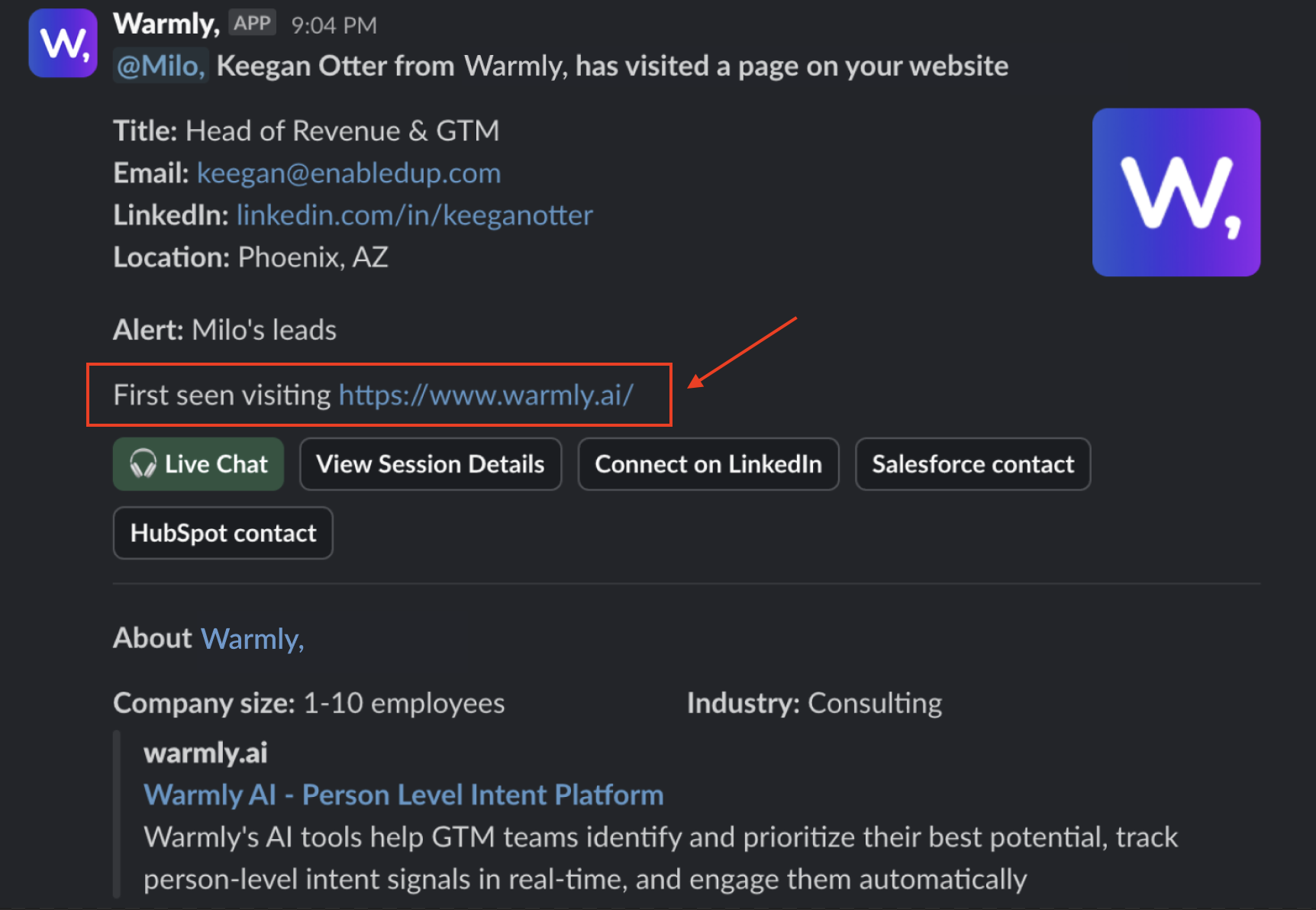
Currently, Slack notifications only show the first page a visitor lands on during their session. This helps keep alerts clean and focused while still giving your team enough context to take action.
If you want to see every page the visitor viewed during their session, just click the “View session details” link in the notification. That will take you directly to the full session timeline in the Warmly dashboard, where you’ll find all page visits and more detailed engagement insights.
Have questions or feedback? Reach out to your CSM or email us at [email protected]