Warmly & Zapier Integration
Last updated: April 25, 2025
Connect Warmly to Zapier Using Webhooks
This guide walks you through integrating Warmly with Zapier via Warmly’s webhook functionality.
Set Up a Zap with Webhooks by Zapier
Log in to Zapier.
Click “Create Zap.”
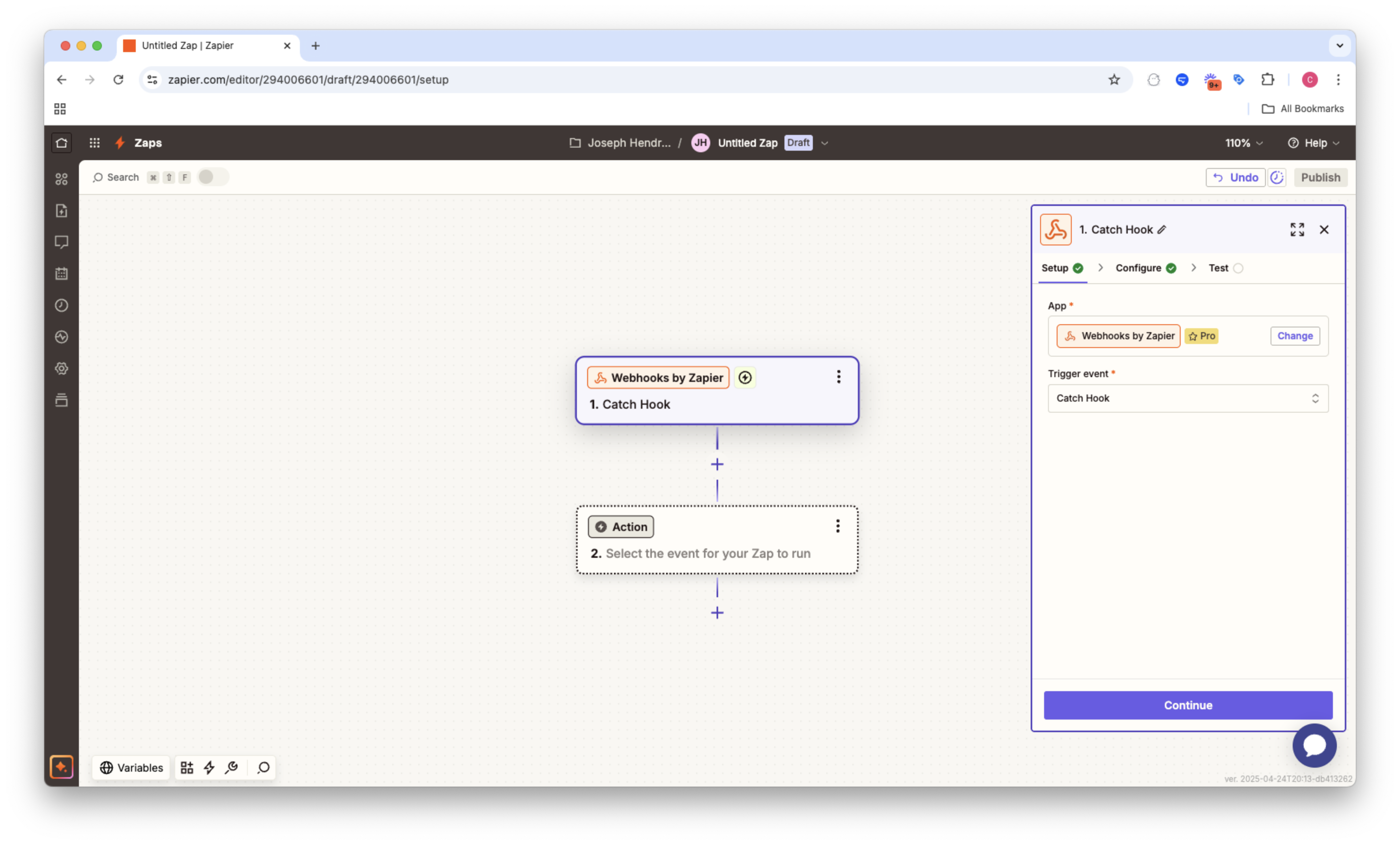
For the Trigger, search for and select “Webhooks by Zapier.”
Choose the Trigger Event: Select “Catch Hook” and click Continue.
Zapier will generate a Custom Webhook URL. Copy this URL—you'll need it for Warmly.
Add the Webhook URL to Warmly
Via Settings
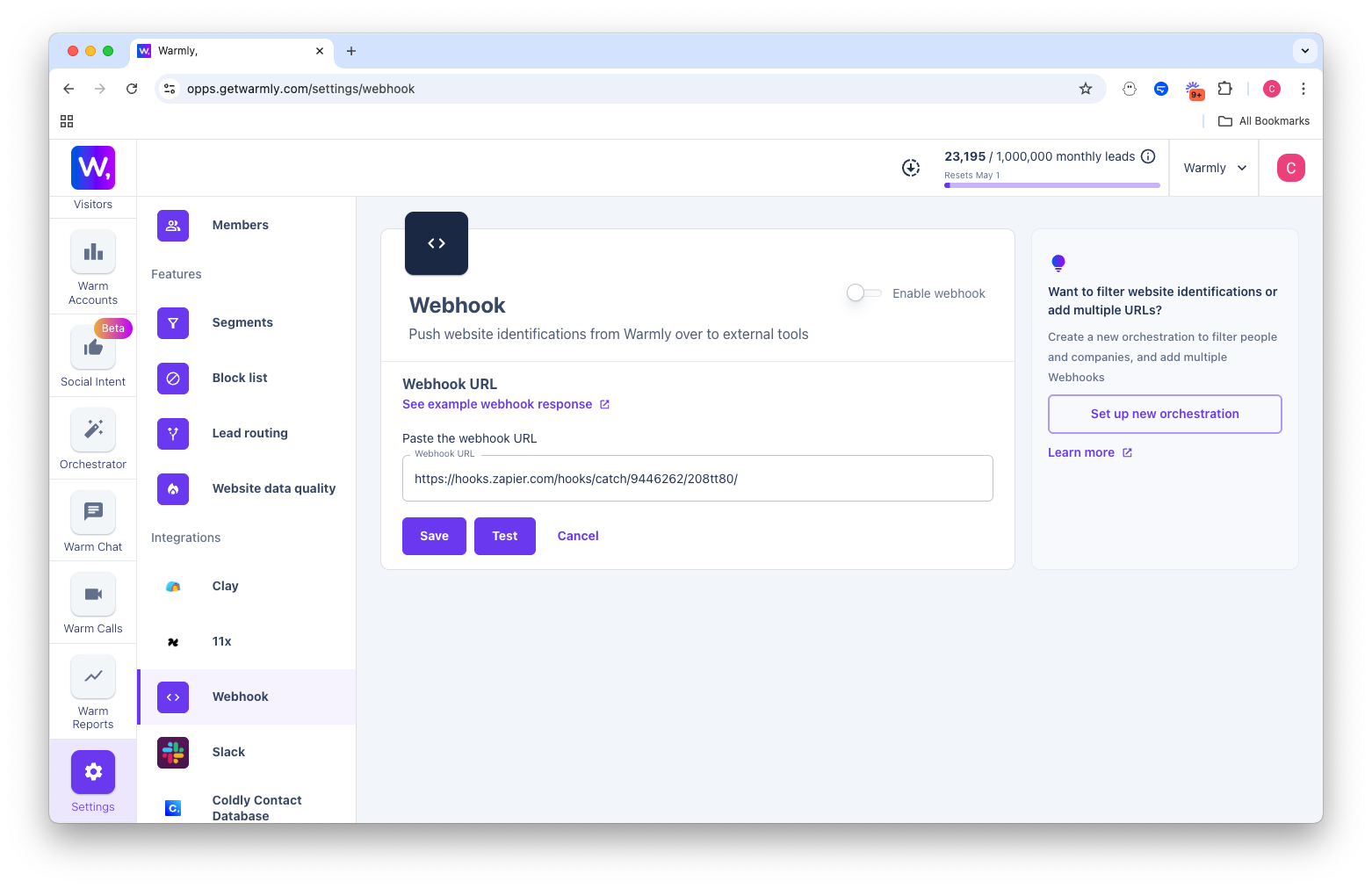
Go to Settings > Webhooks.
In the provided field, paste the Webhook URL copied from Zapier
Via Orchestrator
Go to Orchestration
Create a new Orchestration and add a Webhook step.
In the provided field, paste the Webhook URL copied from Zapier
Finish Your Zap with an Action
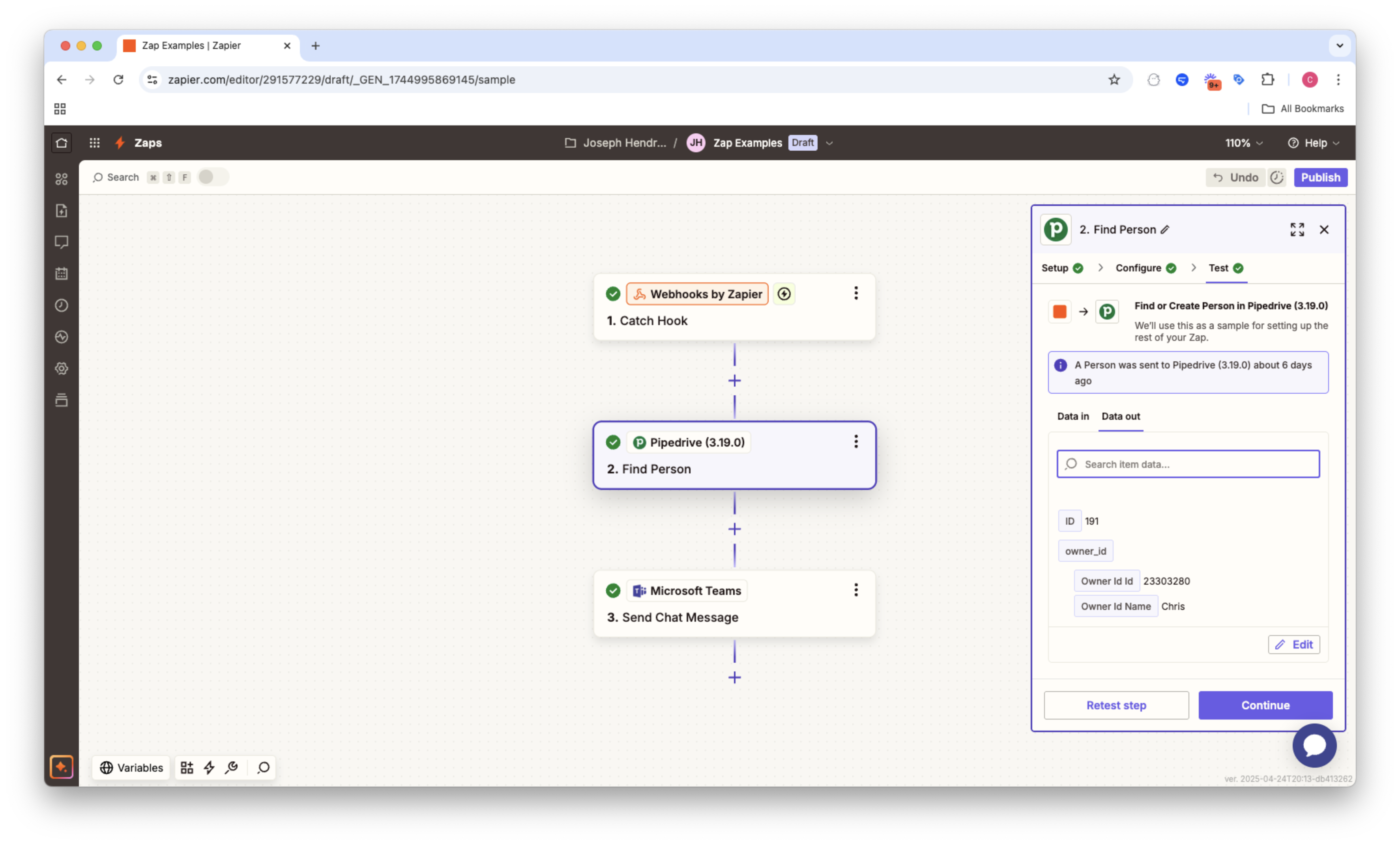
In Zapier, click “+ Add Action.”
Choose any app you want to send the Warmly data to such as:
Pipedrive: Create a new lead
LaGrowth Machine: Add a lead to an existing sequence
Marketo: Create a new contact
Map the fields from the webhook to the target app's required fields.
Test the action to ensure the integration works as expected.
Click “Publish” or “Turn on Zap” at the top of the Zap editor.
Zapier is now listening to Warmly’s webhook and will act based on your configured steps.
This article was written by the Customer Success team at Warmly. Please feel free to reach out to your CSM directly or [email protected]