Warmly & Make Integration
Last updated: April 25, 2025
Connect Warmly to Make Using Webhooks
This guide walks you through integrating Warmly with Make via Warmly’s webhook functionality
Create a Webhook in Make
Log in to your Make account.
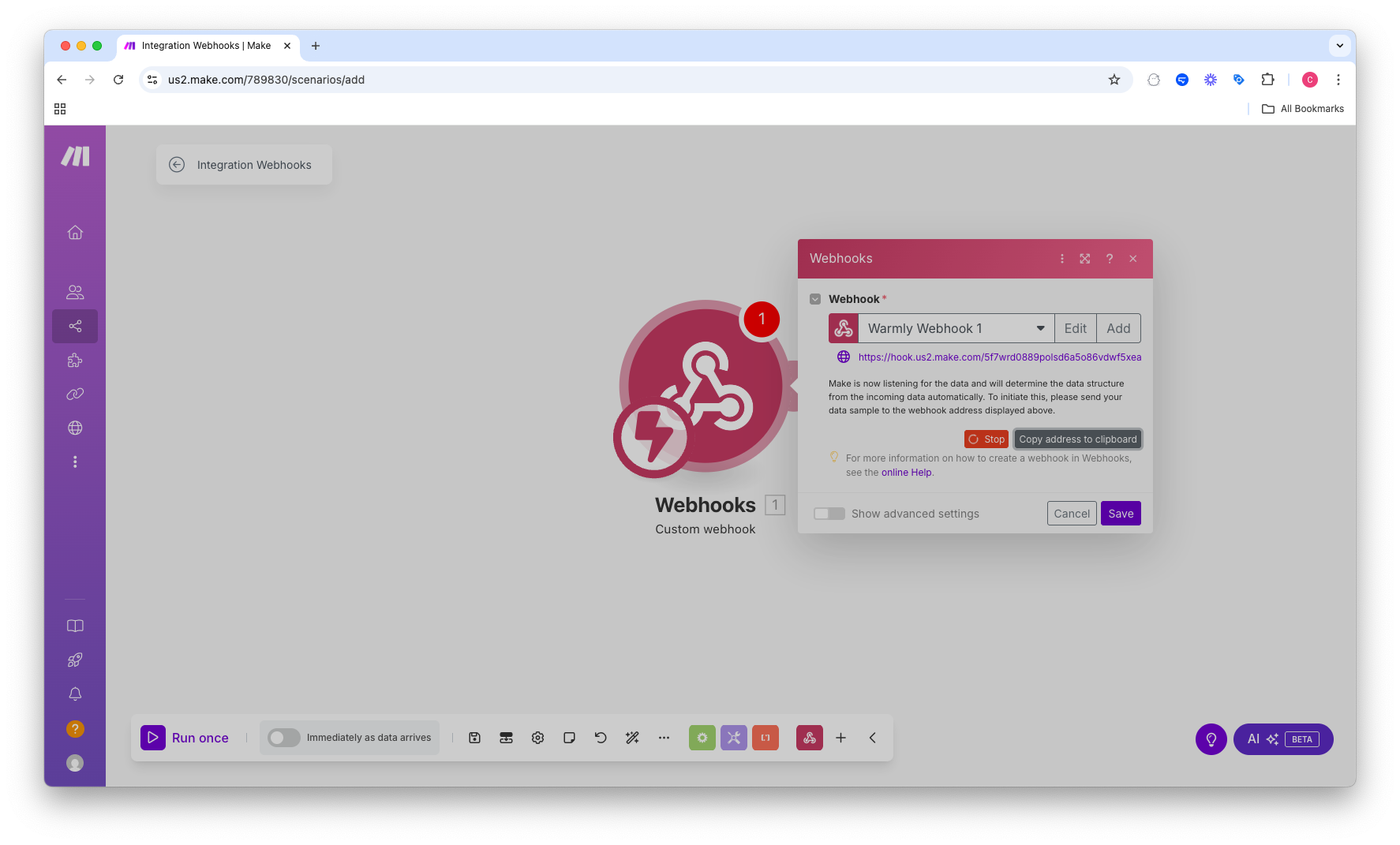
Click on "Create a new scenario".
In the scenario builder, click the "+" icon to add a module.
Search for and select "Webhooks".
Choose "Custom webhook".
Click "Add", provide a name for your webhook (e.g., "Warmly Leads"), and click "Save".
Make will generate a unique Webhook URL. Copy this URL for the next step.
Configure Webhook in Warmly
Via Settings
Go to Settings > Webhooks.
In the provided field, paste the Webhook URL copied from Make
Via Orchestrator
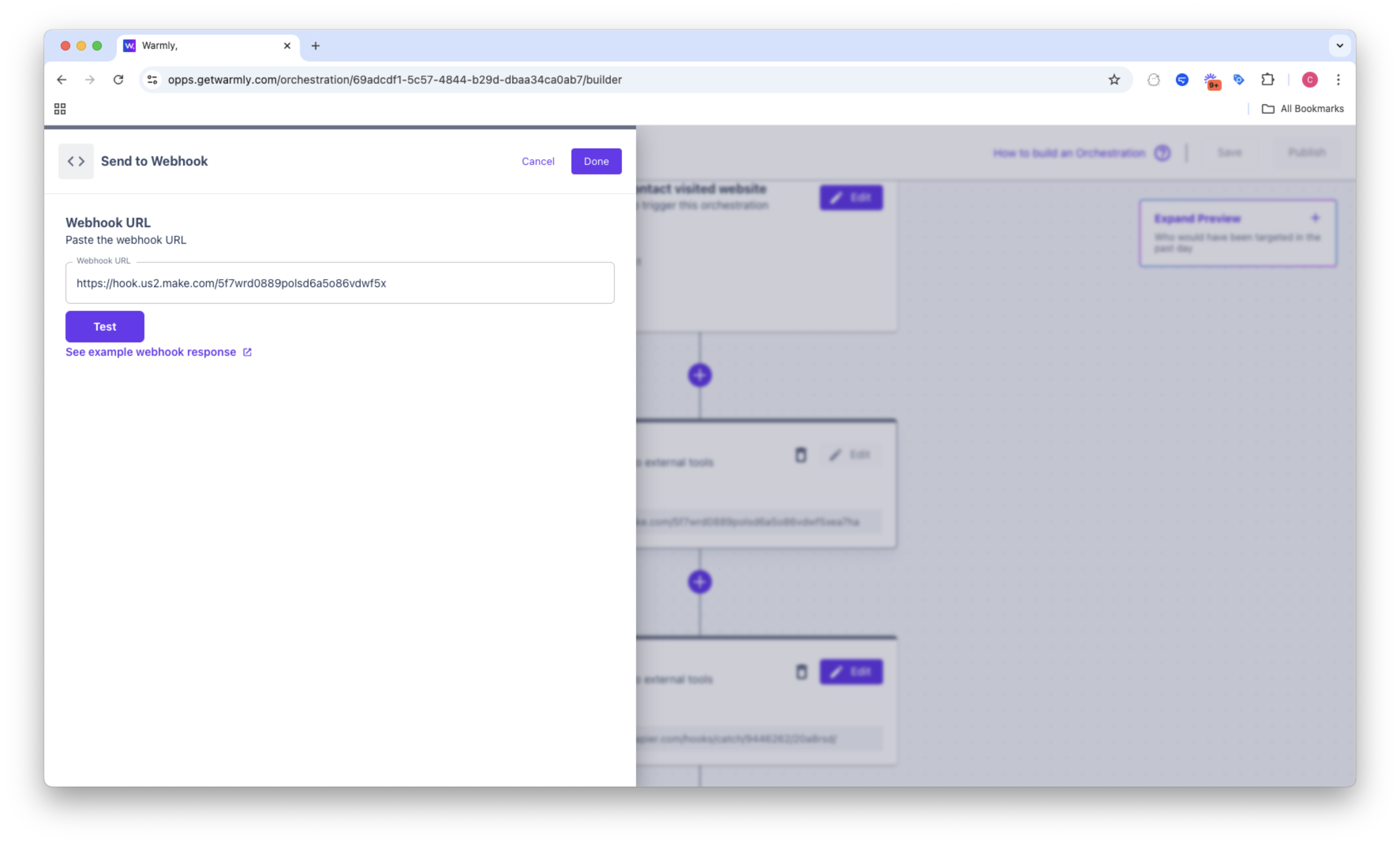
Go to Orchestration
Create a new Orchestration and add a Webhook step.
In the provided field, paste the Webhook URL copied from Make
Click "Save" to publish your changes.
Build Your Scenario in Make
In Make, click "Run once" to activate the scenario listener.
Trigger an event in Warmly that would send data (e.g., simulate a lead capture).
Return to Make to verify that the webhook received the data.
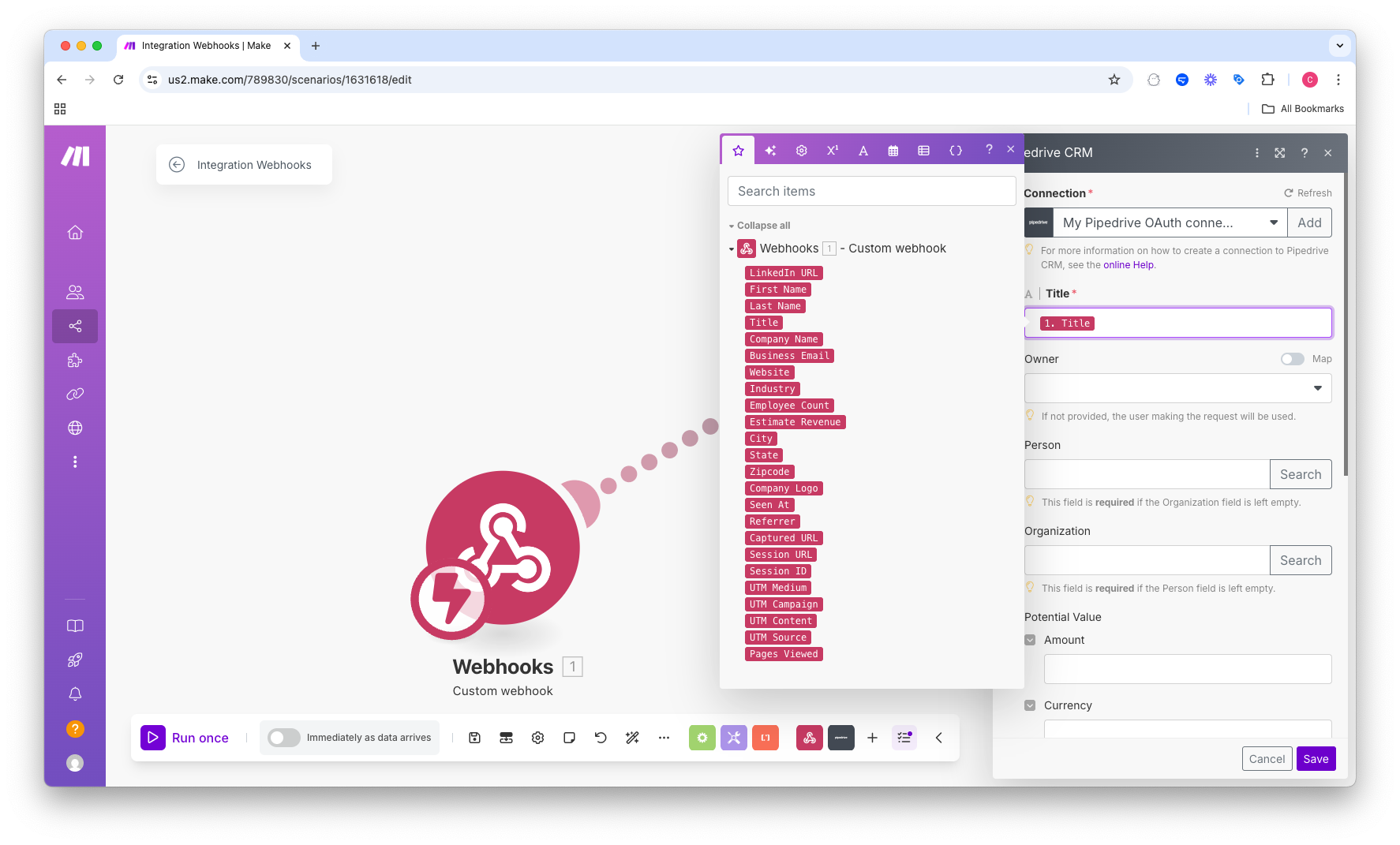
After confirming data reception, add subsequent modules in Make to process the data.
Examples:
Pipedrive: Create a new Lead
Marketo: Create a new Contact
Match the data from Webhook to the fields in the platform you want to push that data.
This article was written by the Customer Success team at Warmly. Please feel free to reach out to your CSM directly or [email protected]