Popular Warmly Segments: Setup and Use Cases
Last updated: December 29, 2025
Overview
Effectively tracking and segmenting web visitors is foundational to using Warmly for prioritizing outreach, optimizing campaigns, and understanding buyer intent. Warmly’s approach goes beyond web behavior by also including firmographic and other enrichment criteria to help you segment your traffic with precision. In this article, we'll outline the most common website signals you should consider tracking and segmenting for maximum value.
If you'd like more detail regarding specific segment types, please navigate here for our in-depth resources that include additional examples.
1st Party Signals: Website Visits & Engagement
There are several ways to leverage first-party intent signals - below are some of the most common approaches. Keep in mind that these segments can include or exclude criteria based on what you’re trying to target.
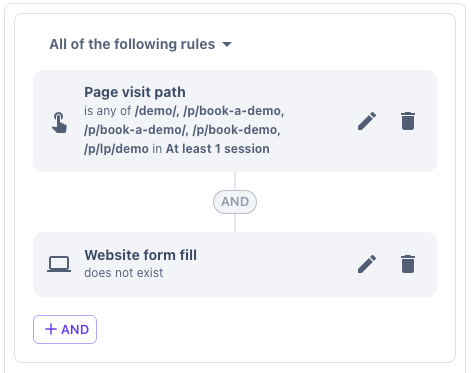
High-Intent Page Visits, such as: Pricing, Demo, Contact
No Form Fill: This means a visitor went to your form page but didn't start filling it out
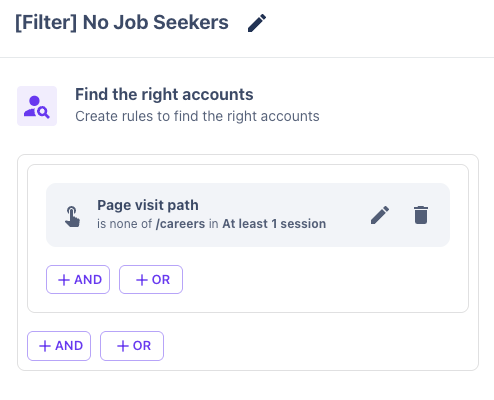
Filtering out noise, like job seekers, students, or other visitors based on page views
Session Time > 30 seconds
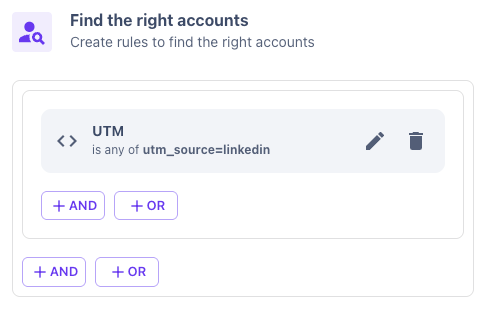
Traffic from Paid Ads, like UTM Source, Medium, Terms, or Campaigns
Target Customer Profiles
Our Target Customer Profile segments allow you to filter web traffic based on criteria like industry, company size, location, and revenue to ensure your outreach focuses on your ICP (Ideal Customer Profile). Common segmentation methodologies include:
Targeting based on your core ICP, like:
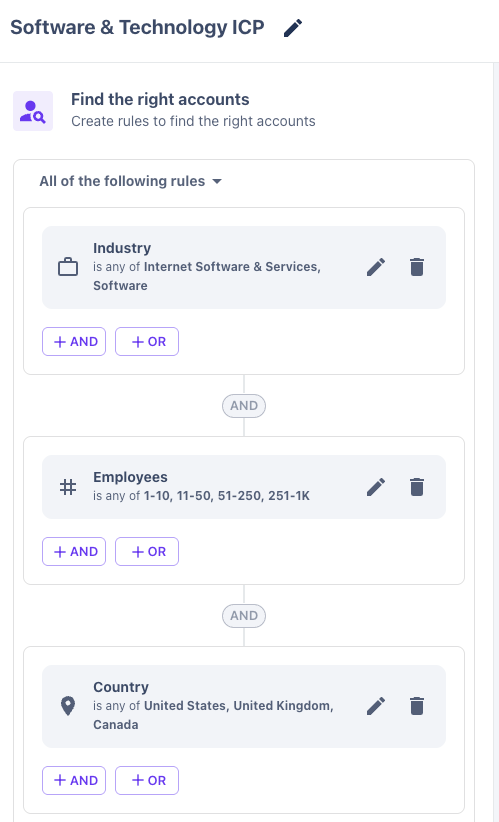
Some customers will also create multiple variations of Target Customer Profile segments to match internal segmentation like Enterprise/Strategic, Mid-Market, or SMB accounts.
CRM Company
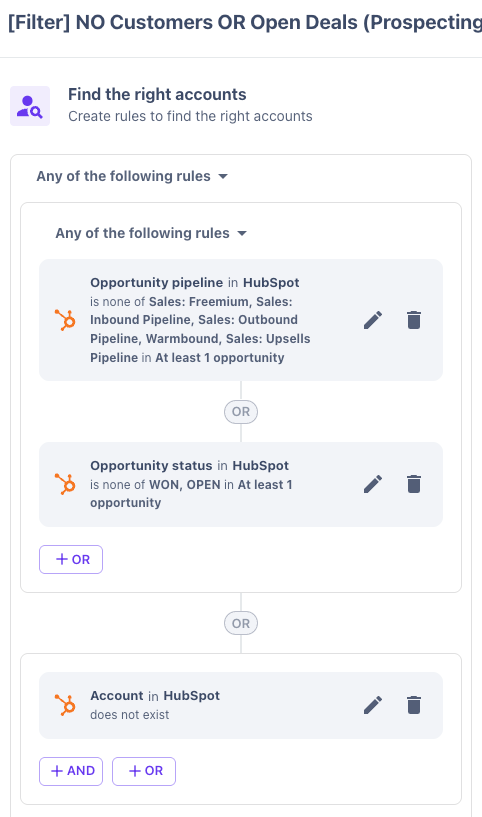
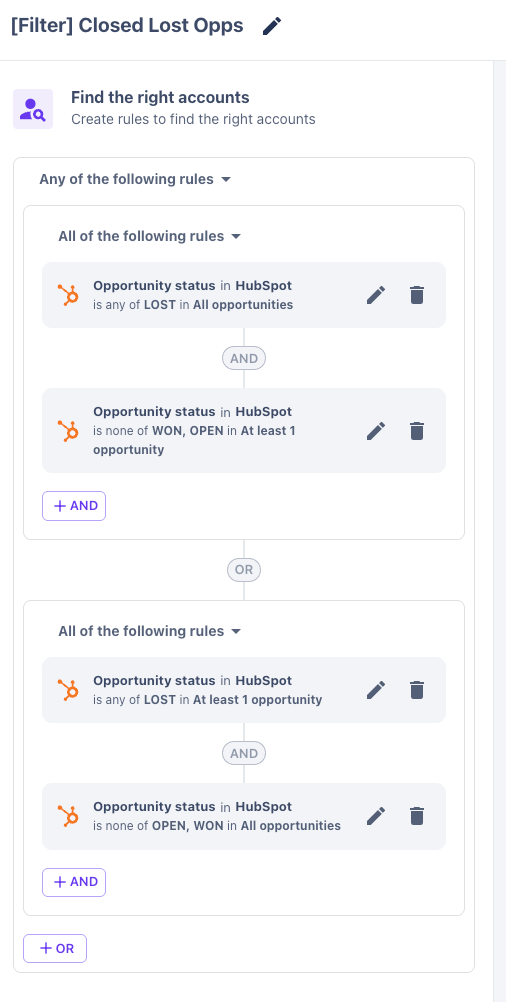
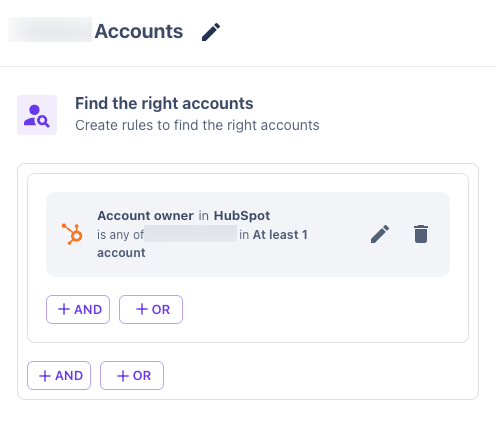
By filtering based on account status, ownership, or lifecycle stage, you can quickly identify which accounts require immediate attention, are in a specific stage of your sales pipeline, or need to be filtered out. For more in-depth information about this segment type, read our guide here.
No Customers or Active/Open Deals (note the operating condition is "Is None Of"):
Closed-Lost Opportunities
Target Accounts (based on Named Rep). If you'd rather create a broader segment that isn’t tied to individual rep ownership, simply create the filter based on your CRM data fields that indicate it's part of your ABM strategy. (Like Target Account = true).
Buyer Persona
By creating Buyer Persona segments, you can define the exact job titles of your ideal customer profile (ICP) for auto-prospecting using Orchestrator. Additionally, you can apply Buyer Personas to Warm Visitors and Slack channels, allowing you to refine your lead lists and notifications for more precise targeting and engagement.
For more in-depth information about Buyer Personas, read our guide here.
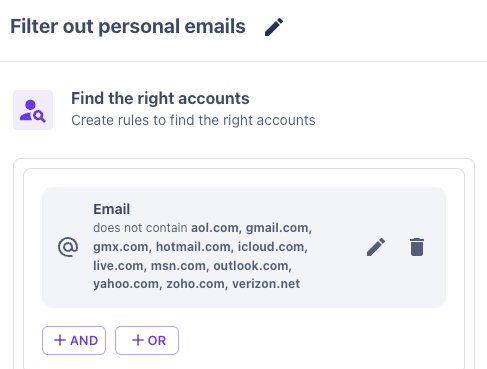
Filter Out Personal Emails
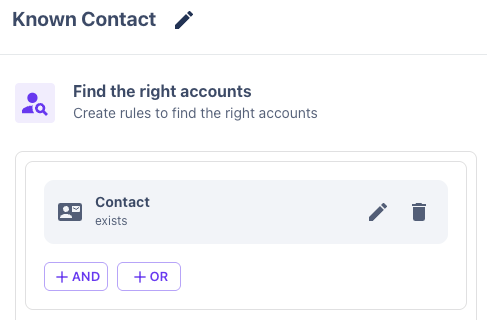
Contact Information is Known