How does Warmly assign record ownership in Salesforce?
Last updated: March 8, 2026
Warmly offers three distinct workflows for writing data to your CRM. Each workflow serves a different use case, is configured in a different area of the platform, and has its own independent functionality. You can read more about these workflows in this article here.
Because Salesforce requires all records to have an owner, any new Leads or Accounts created by Warmly will always be assigned to a Salesforce user.
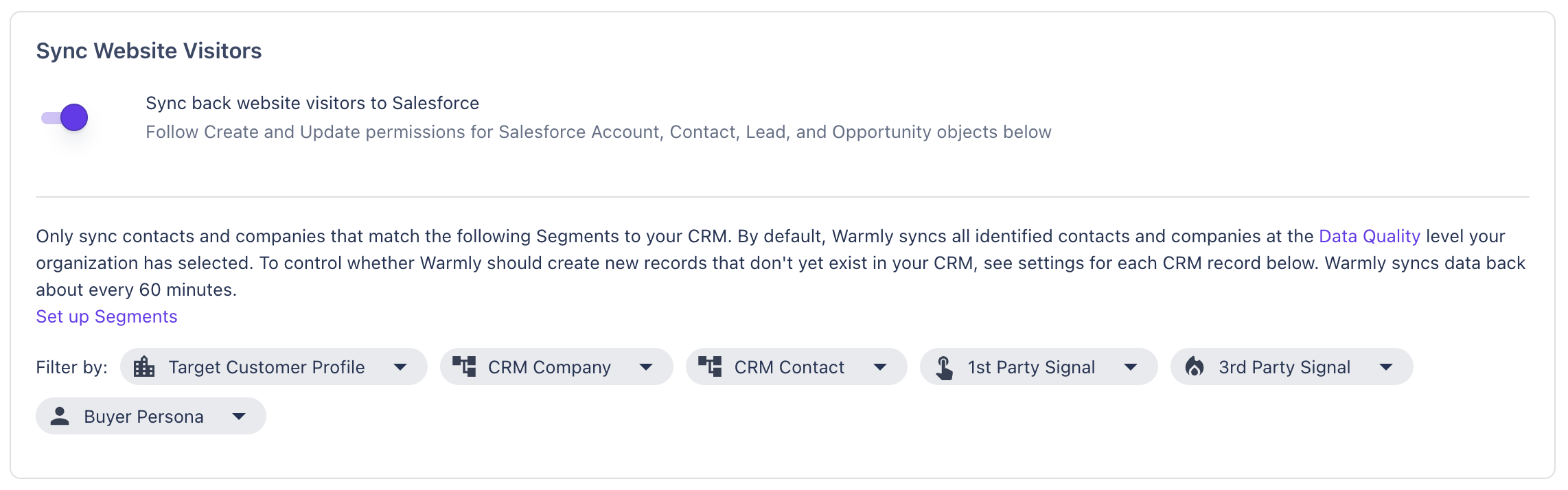
1. Website Visitor
Net new Leads, and Accounts created via the Sync Website Visitors flow are assigned to the Salesforce user who connected the integration. This is Salesforce's default behavior when no owner is specified - Warmly does not explicitly set an owner for these records unless a rep or fallback owner has been configured in your Inbound Agent settings.
2. Inbound Agent
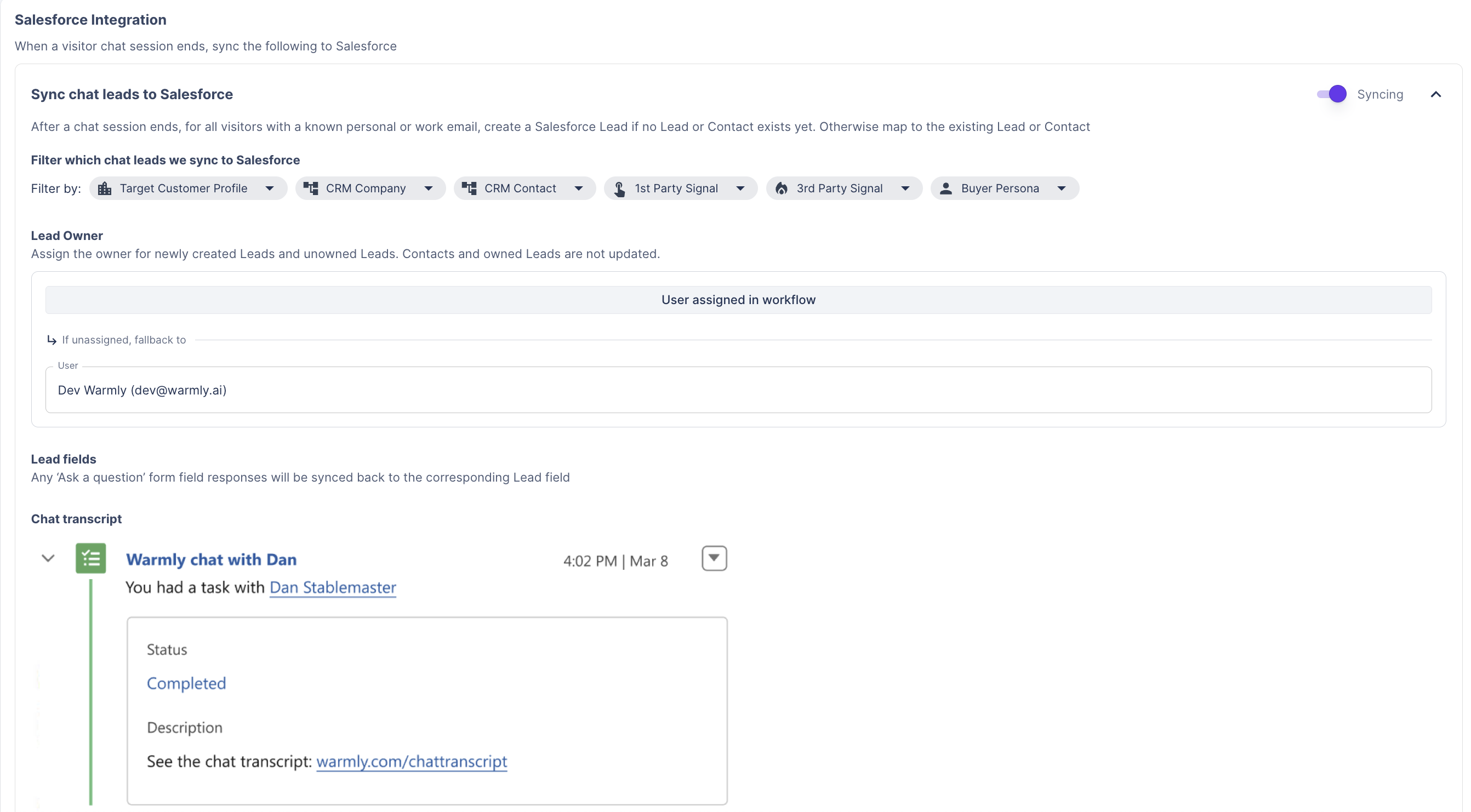
Leads and Accounts created through the Inbound Agent are assigned either to the representative assigned through the chat workflow, or to the fallback owner if no representative was assigned.
Ownership assignment only applies to newly created records and to existing Leads or Contacts that do not already have an owner. Ownership of existing records that already have an owner is never modified.
3. Outbound Agent
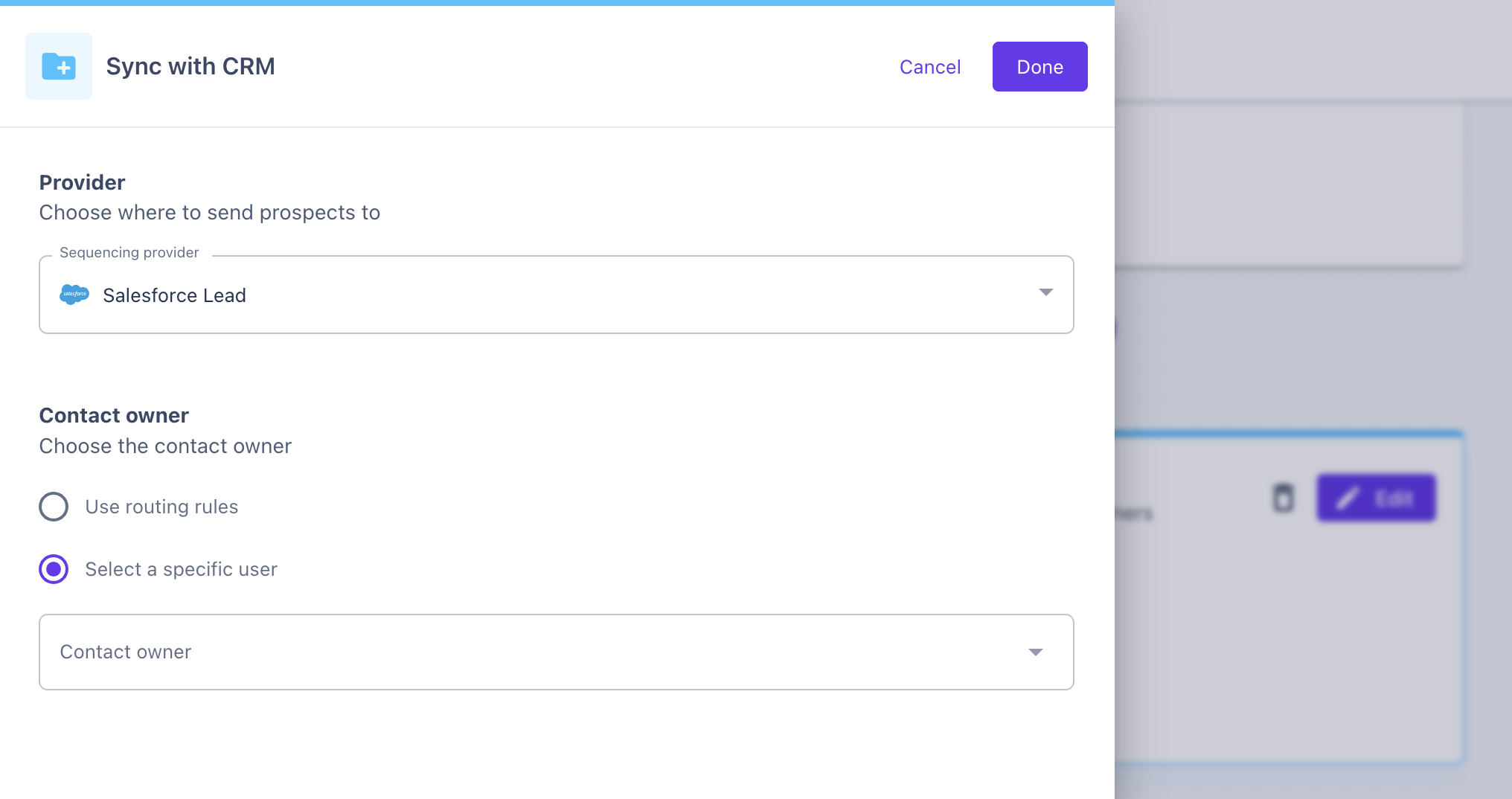
Leads or Accounts created through the Outbound Agent can be assigned in two ways:
Assign all created records to a specific Salesforce user, or
Use a lead routing rule, which dynamically assigns the owner based on your configured routing logic
Have questions or feedback? Reach out to your CSM or email us at [email protected]