How to load a saved list of contacts
Last updated: August 28, 2024
You can load a saved list of contacts to the People Search page to continue filtering the list (or, for example, to exclude specific contacts from the new search or the entire list).
Click on Show Advanced Filters at the bottom of the filters pane.
Click on the Load Saved Lists filter.
Select Search People from list
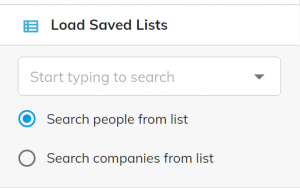
Select the relevant contact list in the drop-down menu or enter the list’s name.
The contacts on the saved list will be displayed on the search page.
If you want to exclude all contacts from the search, click the Exclude icon on the left side of the list’s name.