How to Integrate Vector with Warmly
Last updated: August 20, 2025
Increase the amount of site traffic you can de-anonymize by integrating Vector's data with Warmly.
Integrating Vector with Warmly takes only a few minutes and will helps you achieve more visibility into your web traffic.
Follow the steps below to get set up.
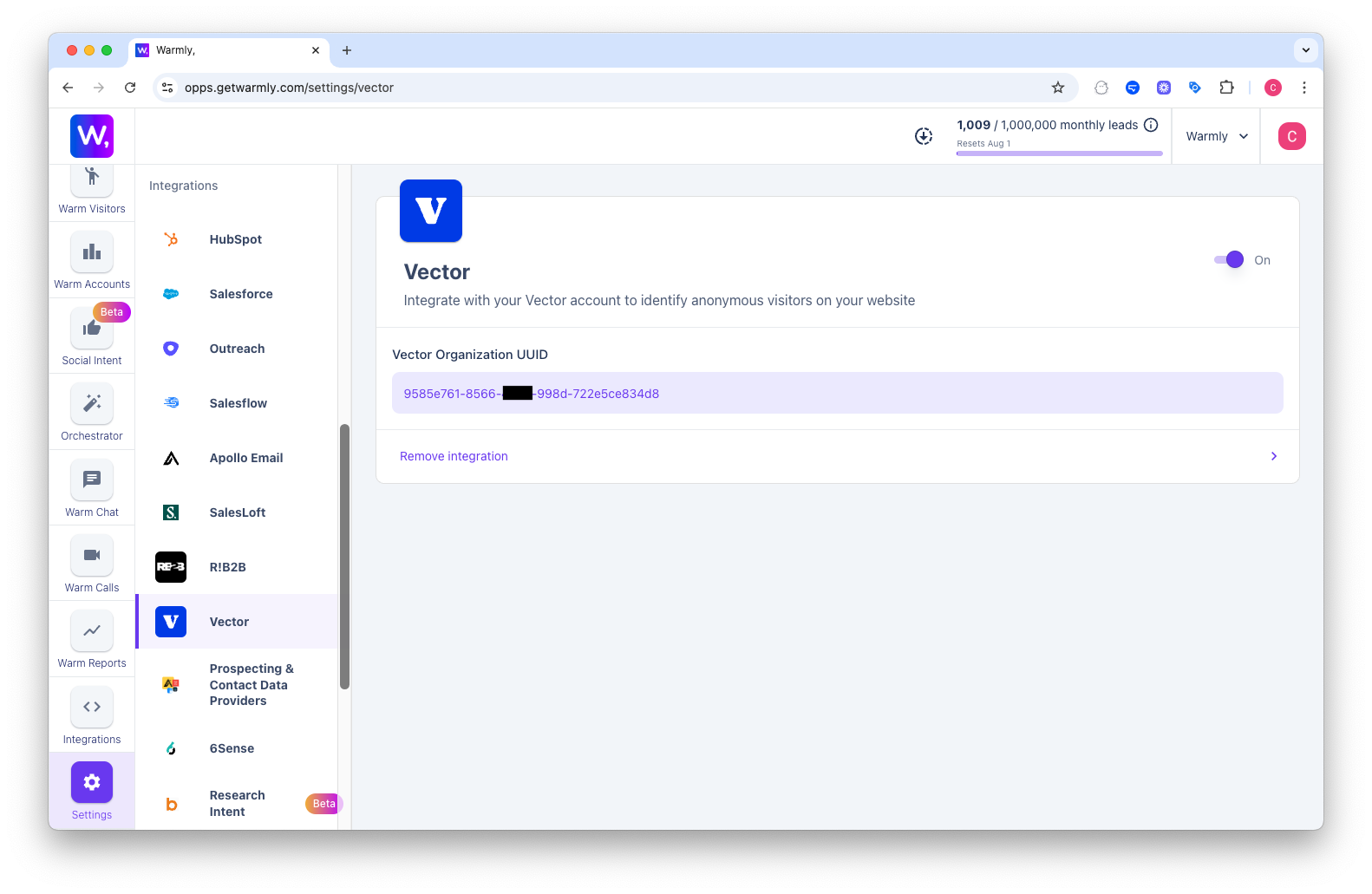
Log in to your Warmly dashboard and go to Settings → Integrations → Vector.
Click Get started
It should automatically log in with your existing Vector account. And if you don't have one, it'll automatically create a new Vector account with your current email.
⚠ Important: Once Warmly is fully integrated, please remove the original Vector script from your website to avoid duplication.
If you're not seeing it automatically integrate, you can manually input the UUID by:
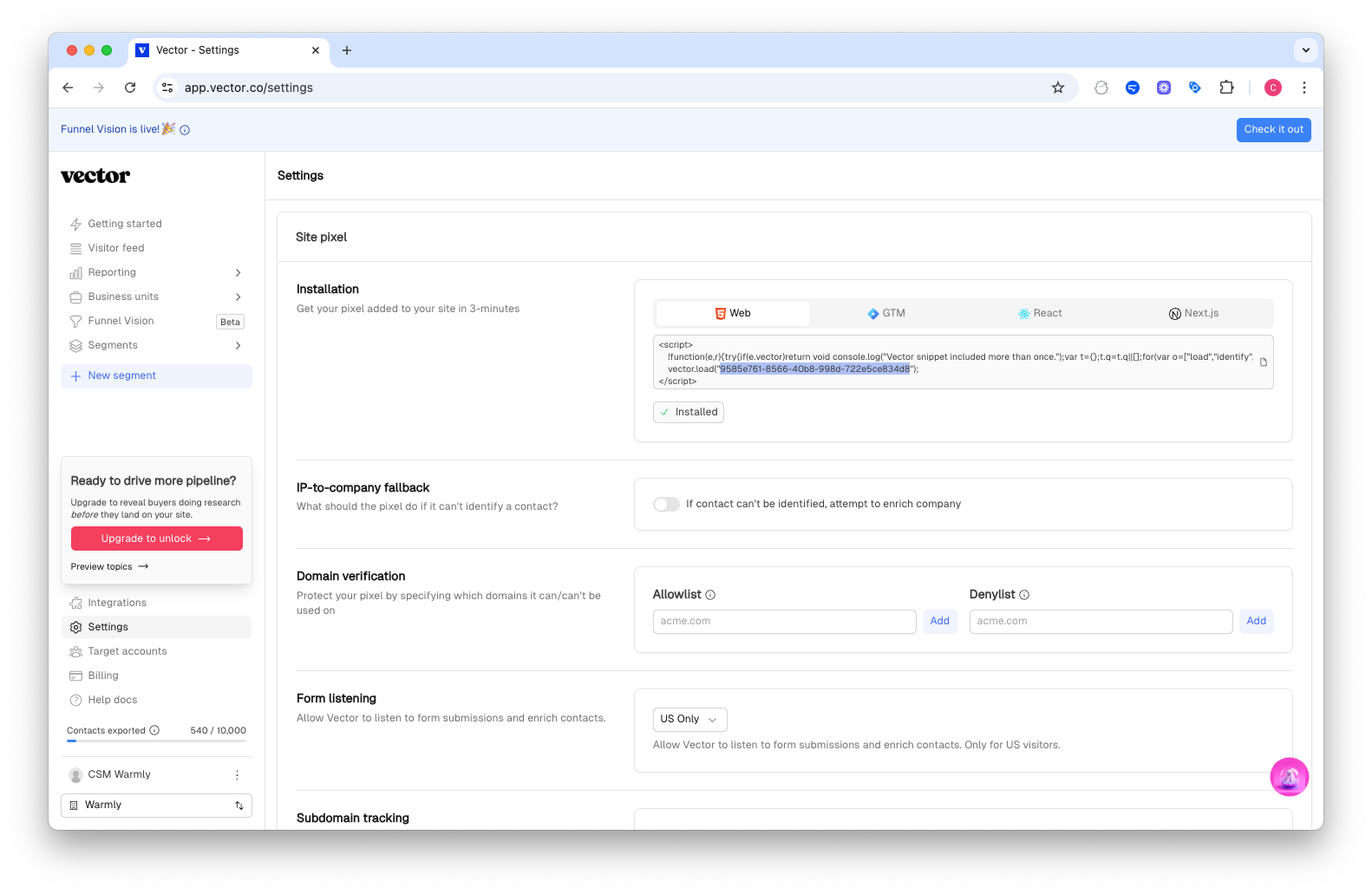
Go to your Vector account, directly on the Settings option.
Copy the UUID from the Installation script and paste it back into the corresponding box in Warmly.
🎉 That’s It!
Your Vector integration with Warmly is now live.
Have questions or need help? Reach out to your Warmly CSM anytime, we’re happy to assist.
Once integrated with Vector, you may follow this article or watch the video to set up Warmly instance by following a few simple steps.