I can't login to Warmly using my Microsoft email
Last updated: December 2, 2025
When Google Chrome stores old Microsoft login sessions, it can sometimes cause conflicts and show the “We couldn’t find a Microsoft account” error when you try to login to your Warmly organization - even though your account is valid. The issue is likely related to cached login data in your browser.
⚠ Before troubleshooting, please ensure the following:
Ensure that your workspace administrator has authorized Warmly. Warmly needs to be authorized by your workspace admin in order for you to log in via your company email. Please reach out to them and confirm authorization.
🛠 Step-by-Step instructions:
Visit login.live.com and clear your Microsoft-related cache and cookies.
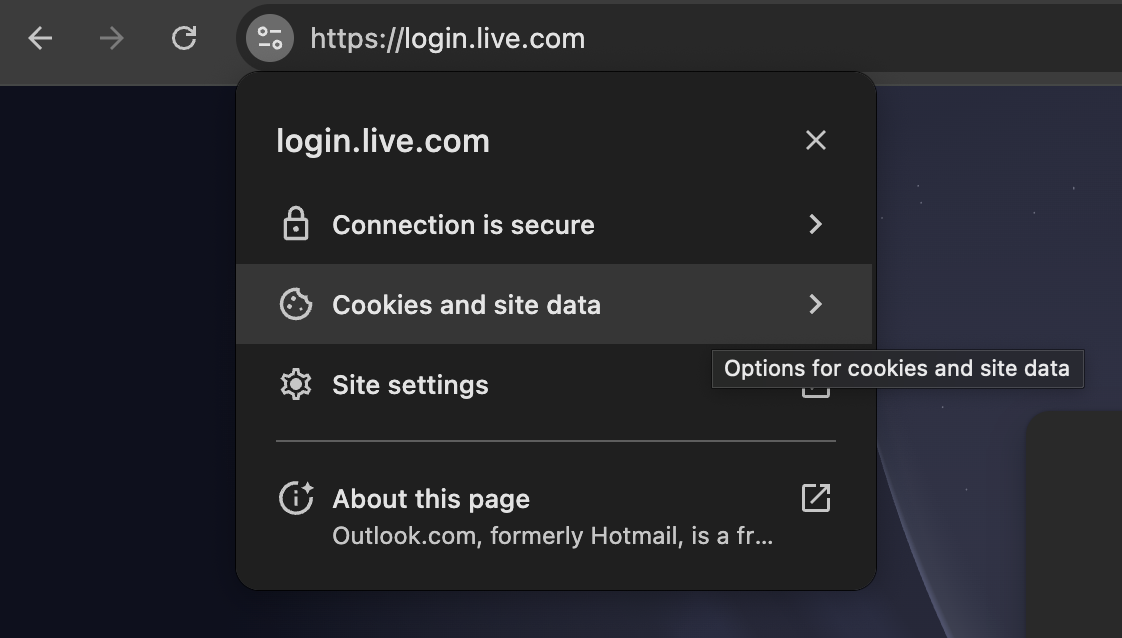
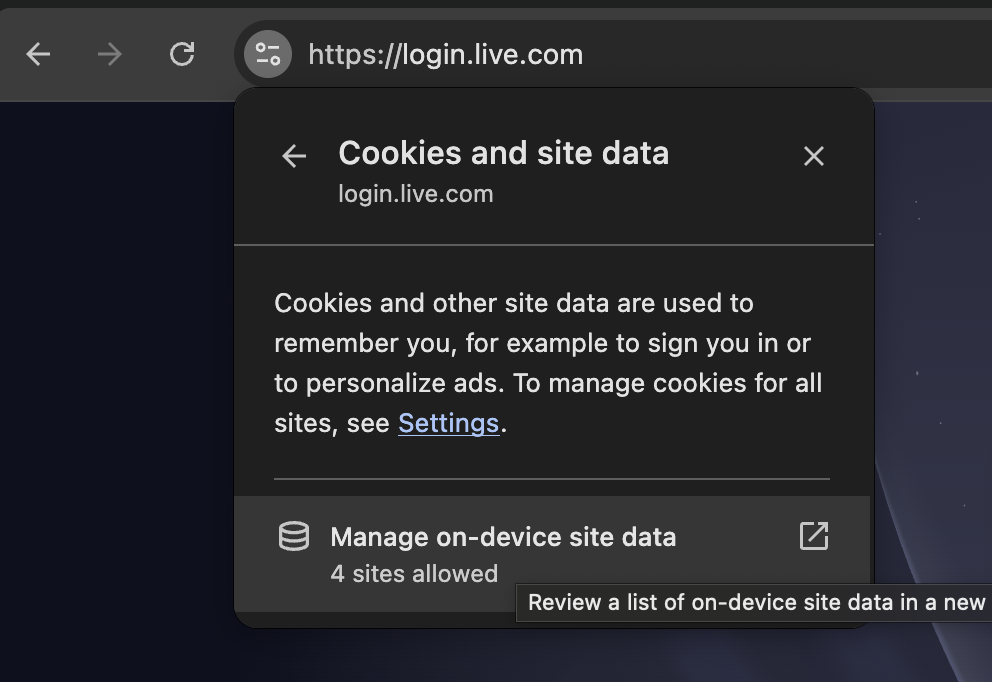
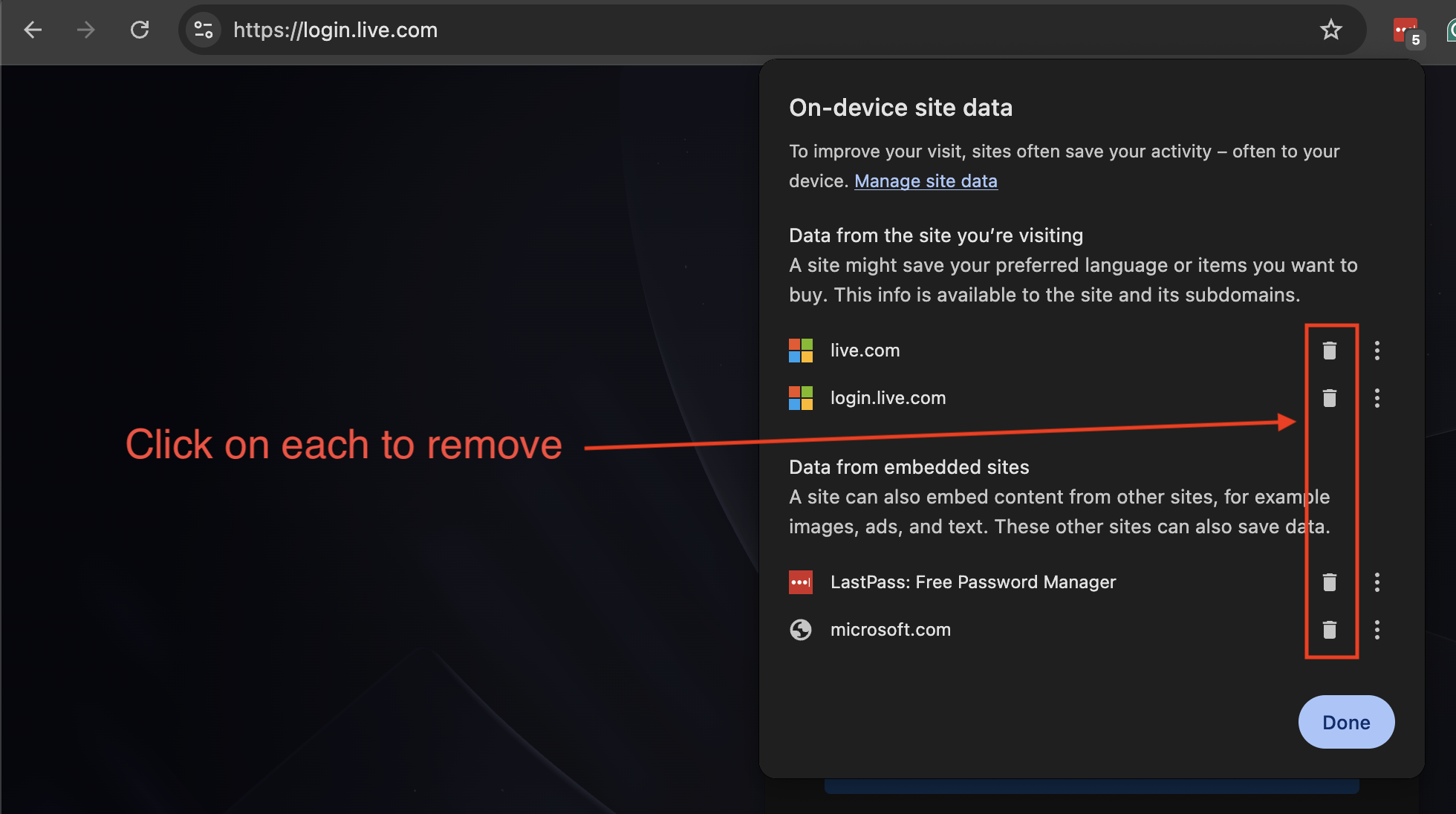
Next, clear your Warmly-related cache and cookies by following the loom below.
Fully close your browser window (not just the tab).
Reopen Chrome and go to:
https://opps.getwarmly.com/loginAttempt to log in again with your Microsoft email.
Additional Troubleshooting Steps
If the issue persists, try the following:
Log out of any other Microsoft accounts in Chrome
(multiple active sessions can cause conflicts).Disable browser extensions temporarily, especially:
Password managers
Ad blockers
Still having trouble?
If none of the above steps resolve the issue, please contact [email protected] with a brief description of what you’ve already tried. Our team will help get you unblocked quickly.
Have questions or feedback? Reach out to your CSM or email us at [email protected]