How to change the default home screen (People/Company)
Last updated: August 28, 2024
Click on the Settings icon on the left navigation bar.
On the Profile tab, click on the drop-down menu under User Preferences -> Default Home Screen.
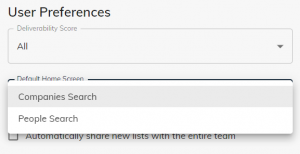
Choose the search page you want to set as your default page that will appear whenever you log in to Immagnify: The People Search page, or the Company Search page.
Click on Save Changes.