Warmly Implementation Documentation: LeadIQ
Last updated: May 6, 2026
Note: This is available to customers on paid plans who have an active LeadIQ account and API key. It is not available to Freemium users.
Warmly's LeadIQ integration lets you use your existing LeadIQ subscription as a prospecting data source inside Warmly. Once connected, Warmly can use LeadIQ to find prospects associated with companies that match your ICP criteria, and surface their contact records with full details (verified emails, phone numbers, linkedin URLs, etc.) directly in your outbound agent workflows, so your team can reach out instantly.
In short: bring your LeadIQ credits into Warmly and put them to work automatically, without manually running searches yourself.
Before you start
You need an active LeadIQ account with API access. Contact your LeadIQ account admin if you're unsure whether your plan includes API access.
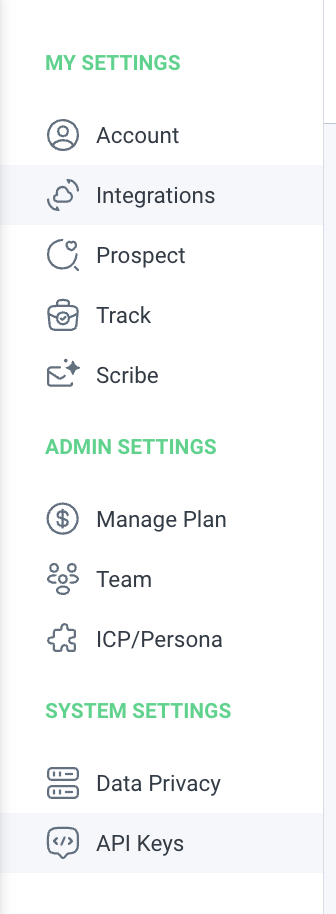
Step-by-Step Instructions
Step 1: Connect your LeadIQ API key
Find the LeadIQ card under Settings -> "Prospecting & Contact Data Providers" and enable the "Enable LeadIQ for prospecting" toggle.
Copy your Secret Base64 API Key from https://account.leadiq.com/app/settings/api-keys
Paste your LeadIQ API Key into the field in Warmly
Step 2: Add LeadIQ as your prospecting provider
1. In Warmly, edit (or create) an orchestration in the Outbound Agent section.
2. Add or (Edit) a People step and select LeadIQ as the data provider.
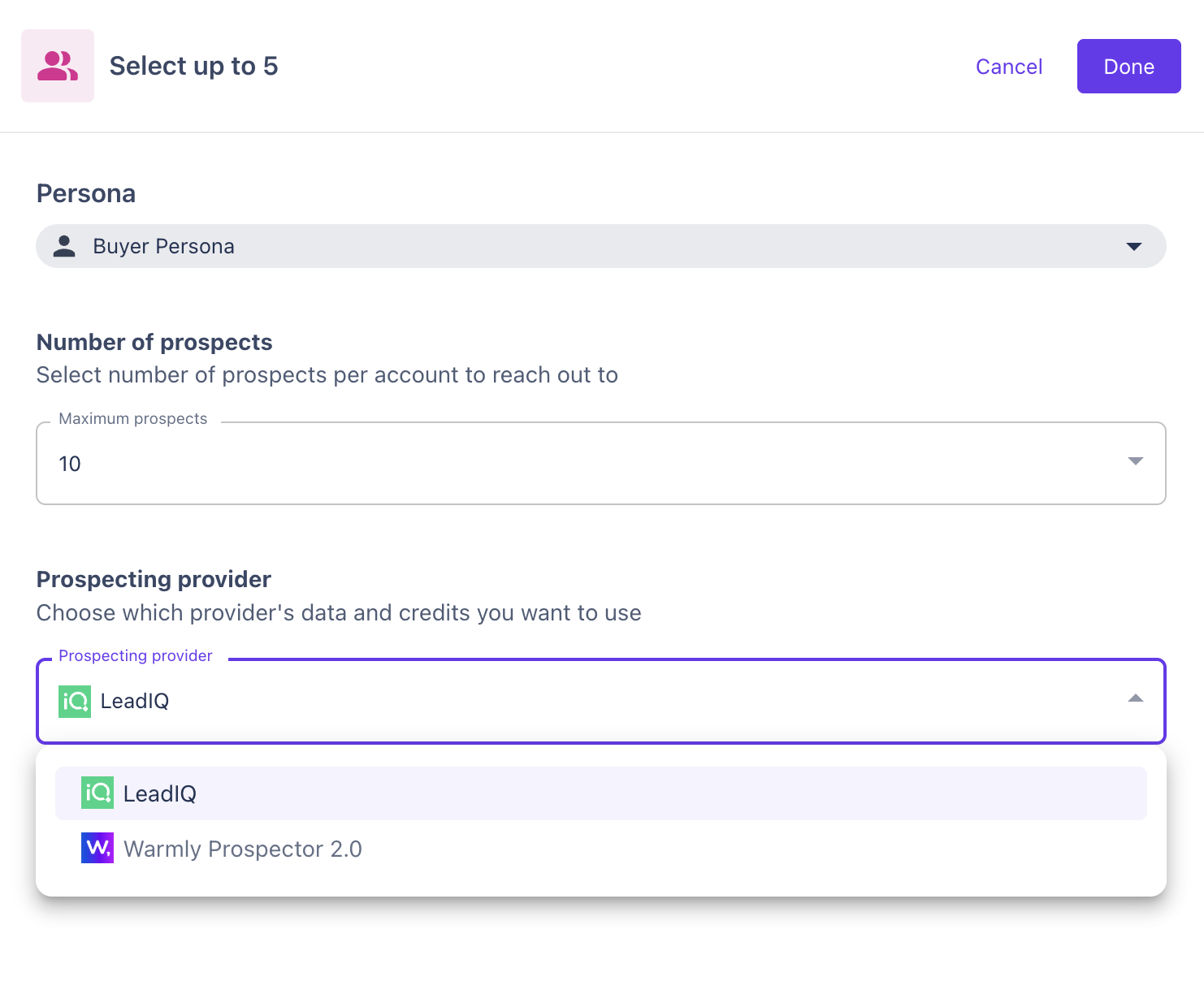
Configure your Buyer Persona segments and number of prospects you want LeadIQ to return
Save or Publish your orchestration
Have questions or feedback? Reach out to your CSM or email us at [email protected]